Sandeep Singh Sisodiya
Webflow
June 25, 2025


Insights, ideas, and expert perspectives shared by the author on design, development, and digital growth.
Sandeep Singh Sisodiya
June 25, 2025
Boost your website's SEO and drive more traffic with Webflow. Learn how its clean code, customizable meta tags, responsive design, and built-in SEO tools can improve your search engine rankings and attract more visitors.
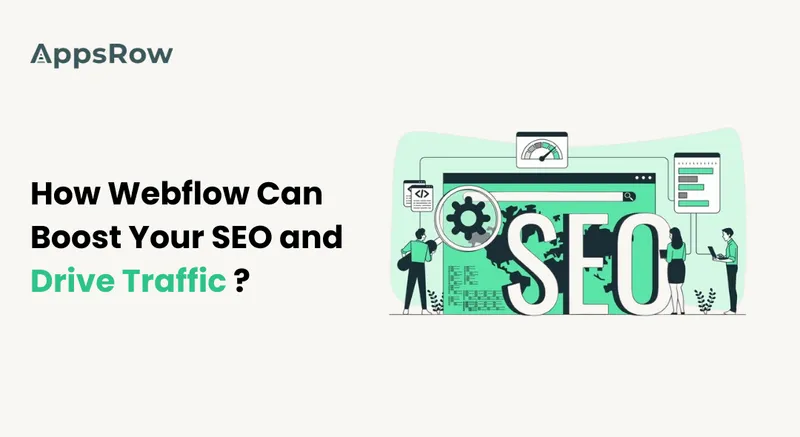
In the competitive online space, a well-optimized website is key. It attracts visitors and drives conversions. If you're considering using Webflow for your site, you're on the right track. This powerful platform not only allows you to create stunning websites but also comes with a host of features that can enhance your webflow SEO. In this article, we’ll explore how Webflow can significantly boost your SEO efforts and help you drive more traffic to your site.
One of the key advantages of using Webflow is its ability to generate clean, semantic HTML code. Search engines favor websites that are well-structured and easy to crawl. With Webflow, you can ensure that your site’s code is optimized for search engines, which can lead to improved rankings. Clean code also enhances loading speeds, another critical factor for SEO success.
Webflow allows you to easily customize meta titles, descriptions, and keywords for each page. These elements are essential for SEO as they inform search engines about the content of your pages. By optimizing your meta tags with relevant keywords, you can improve your chances of ranking higher in search results. Create compelling, descriptive meta descriptions. They will boost click-through rates from SERPs.
With Google’s mobile-first indexing, having a responsive design is more important than ever. Webflow makes responsive websites. They look great on all devices, from desktops to smartphones. This adaptability not only enhances user experience but also positively impacts your SEO. A mobile-friendly site is favored by search engines, helping you attract more organic traffic.
Webflow comes equipped with a suite of built-in SEO tools that simplify the optimization process. You can easily set up 301 redirects, create XML sitemaps, and implement structured data markup. These features help search engines understand your site. They improve your visibility in search results. Also, Webflow's easy interface lets users manage these settings with no tech skills.
Website speed is a critical ranking factor for SEO. Webflow is optimized for performance, ensuring that your site loads quickly. Fast-loading pages reduce bounce rates and improve user engagement, both of which are favorable for SEO. You can boost loading speeds by optimizing images. Use Webflow's lazy loading features, too.
Creating high-quality, relevant content is fundamental to SEO success. Webflow lets you easily add blog posts and articles. They can help you rank for targeted keywords. By regularly updating your site with fresh content, you can attract more visitors and keep them engaged. Consider using Webflow’s CMS capabilities to manage your content efficiently and optimize it for search engines.
Webflow makes it easy to optimize images for SEO. You can add alt text to images, which helps search engines understand the context of your visuals. Also, Webflow lets you compress images without losing quality. This improves loading times and site performance. Properly optimized images can also help you rank in image search results, driving additional traffic to your site.
Building quality backlinks is essential for improving your site's authority and SEO. Webflow's clean design and quality content can attract backlinks. Other websites will link to it. You can also engage in guest blogging or collaborate with other businesses to create content that links back to your site. The more quality backlinks you have, the higher your site will rank in search results.
In short, using Webflow's SEO features can boost your site's visibility and traffic. Webflow has everything to optimize your site. It has clean code, customizable meta tags, responsive design, and built-in SEO tools. Quality content, image optimization, and backlinks can boost your SEO. They can help you meet your online goals.
If you're ready to take your website to the next level, consider using Webflow as your web development platform. Webflow has powerful features and a user-friendly interface. It can help you create a site that looks great and ranks well in search engines.
Whether you’re designing for an app or website, learning about design can be difficult without guidance around the basics like color theory and typography. However, this knowledge becomes much easier to apply over time and will drastically improve your designs.
Being one of the top UI UX design companies in India, AppsRow’s team has ample expertise to make stunning designs that attract targeting audiences. In this post, we’ve outlined a few of the most important things you can do to help improve your UI/UX.
The impact of a poor user interface and poor user experience can spell doom for even the most robust business applications. The speed of interaction between the user and the product, how easy it is to navigate, and how much effort goes into learning how to use it all adds up to a big deal over time. If a user doesn’t feel that your programs are easy enough to use, they’re not going to be using them.
A good UI/UX design will look great and be fast to use, but you’ll also need to consider the speed of interaction, how easy it is to navigate, and how intuitive it is. While the last two points are obviously related and can be difficult to judge based on just a screenshot, the first point will help you decide whether or not a design works.
As with all things, an experienced UI/UX designer can make this far more accessible as well. When working with someone who has a solid grasp of design principles and who is paid for their expertise in creating something good for business (rather than something for their personal portfolio), you’ll be able to get your designs right much more quickly than when you’re working with someone who doesn’t have much experience in this field.
While an exemplary user interface means that your users will have an easy time using your programs, poor interface design can cause confusion frustration and even cost you money in the long run. You may also discover that they don’t stick around as long as they would with something more intuitive. Basically, new products with poor UI/UX are less likely to succeed than those that have been built from the ground up with solid UI/UX principles, according to expert designers.
Poor usability happens when your programs are very difficult to use or navigate properly. This often happens when things are too complicated, but it can also happen when things aren’t laid out correctly.
This happens when your programs are very difficult to use or navigate properly. This often happens when things are too complicated, but it can also happen when things aren’t laid out correctly. Poor navigation – Navigation problems occur all the time in poorly designed apps, whether they’re too complex or simply take up too much space on the screen. In most cases, people will give up if they feel like navigation is taking them longer than it should do, something that a more intuitive product would allow them to do much quicker and with less effort.
Unless you’re willing to spend a lot of time testing various color combinations, it’s best to stick with an existing scheme or discover a perfect match with free tools like Adobe Color CC or Coolors.com. Using a tried and tested scheme is often the best decision as it will look nice and consistent across the entirety of your design. However, if you are willing to invest time into this process, it’s worth being original.
Unless you’re willing to invest a lot of time into testing various fonts, sticking to the default typefaces is often the better decision. If a unique typeface is what you’re going for, keep in mind the components of a good logo design and opt for one that matches these components. For example, if your logo is based around the letter ‘A,’ an italicized font will complete your design.
As with most aspects of business, simplicity should be a key focus when creating UI/UX designs. Keep in mind that users are not as visually-oriented as they are with printed material, and users will often leave if things aren’t quite right.
Users from different cultures, backgrounds, or even generations will all have their own needs and requirements when it comes to UI/UX design. Part of the reason you should be versatile with your design is that these differences will impact your average user, making it so that everyone has a unique experience.
Since reducing clutter is one of the most important things you can do when designing a UI/UX, be sure to use small fonts and minimize other elements that clutter your interface. With that being said, don’t make it so that users have to do a lot of scrolling to see what’s going on.
Each UI/UX design should have the bare essentials. The components you include should be ones that help and provide value to the user, not something merely for aesthetics. This means deleting anything that isn’t necessary and only including those genuinely necessary elements. For example, your text should be simple and easy to read with no extra ‘bells and whistles.’
Just like with the previous point, it’s important to keep everything you add clear and easy to understand. When making something that has a complex UI/UX, make it so that its elements are easy to distinguish from one another.
This means using elements like drop-down menus and buttons that are easy to use for the user. It’s also important not to force users into certain actions when they navigate your interface. It’s also worth being aware that some users might be disabled, so creating an interface based on the user experience will help these people have an easier time moving around your site or app.
If you wish to add colors to your design, there are a few things you should be aware of. First, ensure that each color is used correctly and doesn’t clash with other colors on the page. Similarly, if you’re using colors in a UI/UX that contains text, it’s best to avoid certain colors for readability reasons. For example, you shouldn’t use red and blue together as it can make things difficult for users who have certain color blindness issues.
If you create something that’s hard to navigate, it’s likely that your users won’t be able to find what they’re looking for and will probably go elsewhere. In order to solve this problem, it can help to create flow charts so that your users will know where they are and how they can move around the various parts of your application.
Similarities might make life easier, but if you’re going for a unique design, ensure that each platform utilizes its look and feel while targeting the same interface goal. This means ensuring that each element is logical to the user and matches their expectations from previous interactions with other platforms or devices.
While the number of things you have to consider when designing a UI/UX for an application or website might seem overwhelming, it’s important to remember that there are some simple rules you can follow in order to create a good design. These rules can allow you to create something mobile-friendly or something that will work the way most people expect it to.
Follow these guidelines, and you’ve got a solid base to build from. Appsrow can help your business by creating custom UI/UX designs that are tailored to your needs, and we have experience with converting PSD to HTML5 as well! We’ve worked on some fantastic projects with clients from all over the world, so contact us today for your next project.
Respect these guidelines, and you’ve got a solid base to build from. Appsrow can help your business by creating custom UI/UX designs that are tailored to your needs, and we have experience with converting PSD to HTML5 as well! We’ve worked on some amazing projects with clients from all over the world, so contact us today for your next project.
In the fast-paced world of startups, time is of the essence. Webflow’s visual development interface allows you to design, build, and launch your website faster than traditional methods. By combining a drag-and-drop editor with the flexibility of custom code, Webflow streamlines the entire process.
Key Benefit: You can go from concept to live website in days instead of weeks.
Webflow empowers startups with unmatched design flexibility. Unlike template-based platforms, Webflow lets you create custom layouts and animations tailored to your brand identity. This freedom ensures that your website stands out in a crowded market.
Pro Tip: Use Webflow’s animation tools to craft interactive elements that engage visitors and showcase your innovation.
Content is king, especially for startups aiming to build authority and trust. Webflow’s built-in Content Management System (CMS) makes it easy to manage dynamic content such as blogs, portfolios, or case studies without needing external tools.
Key Benefit: Simplifies content updates, allowing non-technical team members to contribute seamlessly.
Startups are all about growth, and your website needs to scale with your business. Webflow’s robust hosting infrastructure and customizable design features ensure your site can handle increased traffic and evolving requirements.
Pro Tip: Use Webflow’s responsive design tools to ensure your site adapts perfectly to all devices as you scale.
Search engine visibility is crucial for startups to attract organic traffic. Webflow comes with advanced SEO tools built-in, including schema markup, customizable meta tags, and fast loading times. This gives you a competitive edge without relying heavily on third-party plugins.
Key Benefit: Boosts your startup’s search engine rankings from day one.
Startups often operate on tight budgets, and Webflow’s pricing is both transparent and scalable. With no need for multiple plugins or developers, Webflow offers excellent value for its all-in-one platform.
Pro Tip: Use Webflow’s free tier to prototype your site before committing to a paid plan.
From marketing tools to analytics, startups rely on a variety of software to optimize operations. Webflow integrates seamlessly with platforms like HubSpot, Google Analytics, and Zapier, making it easier to connect your website to your broader tech stack.
Key Benefit: Streamlines workflows, saving time and resources.
Your website’s design isn’t just about aesthetics; it’s about providing an intuitive experience for your visitors. Webflow’s design capabilities enable startups to create user-friendly interfaces that guide visitors towards key actions, like signing up for a newsletter or making a purchase.
Pro Tip: Leverage Webflow’s usability testing tools to fine-tune your UX.
For startups, downtime or security breaches can damage credibility. Webflow’s hosting is powered by Amazon Web Services (AWS) and Fastly, ensuring your site is fast, secure, and always online.
Key Benefit: Provides peace of mind so you can focus on growing your business.
The Webflow ecosystem includes an active community of designers, developers, and startups. From tutorials to forums, you’ll find plenty of resources to help you get the most out of the platform.
Pro Tip: Explore Webflow University for step-by-step guides on building and optimizing your site.
Webflow offers startups the tools they need to create stunning, high-performing websites without the typical barriers of time, cost, and technical expertise. Its blend of design freedom, scalability, and robust features makes it an invaluable asset for startups looking to make a strong digital impression.
Ready to take your startup’s website to the next level? Contact us today to learn how Webflow can help you achieve your goals!
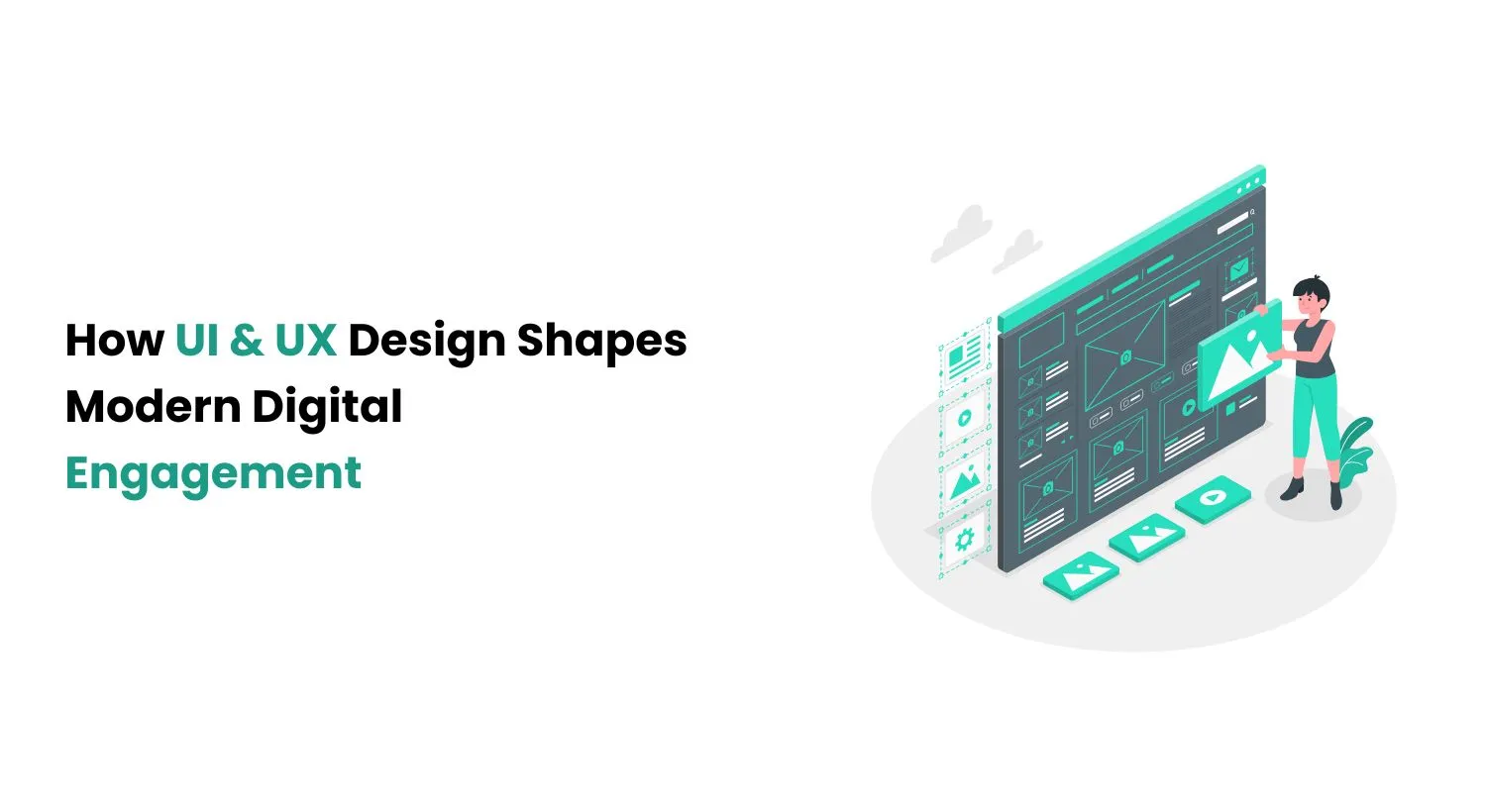
Though often conflated, these disciplines address distinct aspects:
Exceptional digital tools emerge when these elements coexist symbiotically, marrying aesthetics with effortless interaction.
Leverage ethnographic studies and A/B testing to map user journeys, identifying pain points and psychological triggers that inform design decisions.
Eliminate cognitive overload through progressive disclosure—presenting only essential options while tucking advanced features behind contextual layers.
Maintain brand fingerprints through standardized component libraries, ensuring familiarity whether users switch from mobile apps to desktop portals.
Implement responsive grids that adapt to any viewport while adhering to WCAG guidelines for color contrast and assistive technology compatibility.
Optimize asset delivery through lazy loading and semantic HTML to enhance both user patience and SEO rankings.
The UI/UX landscape demands perpetual upskilling as AR, AI, and spatial computing introduce new interaction paradigms. By anchoring designs in psychological principles while experimenting with emerging technologies, creators can bridge the gap between human needs and digital possibilities. Success lies in viewing every button, transition, and empty state as an opportunity to build trust and delight.
UI/UX design is more than just aesthetics; it is about crafting meaningful digital experiences that resonate with users. By integrating human-centered methodologies, embracing technological innovations, and maintaining accessibility and performance, businesses can create engaging, intuitive, and future-ready digital platforms. Transform your digital presence by adopting a user-obsessed mindset—where each design iteration answers real-world needs rather than chasing superficial trends.

Sandeep Singh Sisodiya
June 25, 2025
Today, a strong online presence is vital for your business's success. Your website is your brand's face. It must be both attractive and functional. This is where hiring a Webflow developer comes in. It can be one of the best investments for your business.
What is Webflow?
Webflow is a visual development platform. It lets users design, build, and launch responsive websites, all without coding. It features an intuitive design. It is accessible to both designers and non-technical users. But, businesses looking to improve their websites should hire a skilled Webflow developer.
1. Custom Website Design: A Webflow developer can create a unique, appealing website. It will align with your brand and audience. They can design a website that looks great and works well.
2. Responsive Design: Webflow developers optimize your site for desktops, tablets, and smartphones. This is crucial today. Many people will access your site on mobile devices.
3. Faster Development: Webflow's visual platform accelerates website creation for developers. It cuts both development time and costs. This lets you launch your website faster. You'll generate leads and drive sales sooner.
4. Easy Content Management: Webflow's intuitive content management system simplifies website updates. It makes it easy to update and manage your website's content. It lets you update your website without a developer. This keeps it fresh and relevant.
5. SEO Optimization: A skilled Webflow developer can optimize your site for search engines. This will help your pages rank higher and attract more organic traffic. This includes optimizing images, meta tags, and content. It will improve your site's visibility and drive more leads to your business.
6. Scalability: As your business grows, your website needs to be able to scale with it. Webflow developers can build your website on a strong foundation. It will handle increased traffic and functionality without losing performance or user experience.
When choosing a Webflow developer, consider their experience, portfolio, and communication skills. Find a developer with a proven record of creating successful websites using Webflow. They work closely to understand your goals and ideal audience.
Also, consider the developers' ability to explain complex ideas in simple terms. Their communication skills matter, too. A good Webflow developer should guide you through the process. They should also provide regular updates on your project's progress.
Hiring a Webflow developer is a smart investment. It helps businesses build a strong online presence. A skilled Webflow developer can help you. They can design, develop, and optimize your website. It will look great and drive business results. Investing in a Webflow developer is an investment in your business's future.

Sandeep Singh Sisodiya
June 25, 2025
What is Digital Transformation? Change at the speed of technology. This has become a buzzword for most businesses today. But what does it really mean, and how do you make your business digital?
In the past, there was no need to make businesses digital. Businesses were working fine with the good old paper & pen. Everything was in its place, and all was well. But now, the paper & pen approach is a thing of the past. Today, businesses are entering a new world where they need to adopt digital technology to survive.
The reason: Digital technologies are making it easier for companies to do business 24/7, always on the go, and anytime & anywhere. In the 2020s, 70% of the GDP was generated through digital space. The need for businesses to adopt a digital approach is very much needed.
A digital transformation is a process in which businesses need to make essential changes to how they function and are managed. For companies to become more competitive, better informed, and ultimately lead the market, these changes need to happen. Examples of such transformation processes include:
A company must develop a digital platform so that your business can grow. The platform should be designed so that it serves not only your own business needs but also helps other companies get their products or services available online.
The internet has made it easy to integrate technology into one’s daily life. It is important for companies to use this integration to produce more products or deliver more services through their platforms.
As more and more companies begin to use the internet and technology in different ways, they will also begin to generate a lot of data. These data can be used for several purposes, including marketing strategies. It is important for companies to have a system that looks at all the data available to be used in the best way possible.
The need for businesses to digitize is directly linked to the digital world that we live in today. The digital transformation process is needed to gain more benefits than what it already has been enjoying these years. The benefits of digital transformation include:
The competitive advantage of a business comes from the products and services they offer. The businesses that have been in the market for a long time have already identified their niches and localized their strategies accordingly. They know exactly who they are selling to, where they can find them and what they need.
With the help of big data and analytics, businesses can identify new prospects, follow up with them, manage existing customers, and use their data to develop more valuable products and services for consumers and themselves.
The internet has made it easier for companies to reach out to their customers. There are several ways to do this, including social media and video marketing. Businesses can now get feedback from their customers quickly, which helps them improve their products or services accordingly. This ultimately leads to increased sales for both the company and its customers.
Data is the new oil, as many experts call it today. Suppose a company has access to big data and enough customer information. In that case, they can easily use that data for marketing purposes to gain more information about them in the process. The result is more sales and higher profit margins for your business.
As mentioned above, big data and analytics help businesses make better decisions. This will lead to higher profits for the business, as well as for its customers and suppliers.
Making changes to your business and realistic use of digital technologies can only benefit your company and its environment in the long run.
There are some examples of how having digital technology can benefit people and materials by making it more environmentally friendly:
Environment-friendly technology is available, which allows paperless office technologies that help reduce paper waste, slash cost, improve efficiency, and minimize time spent maintaining a system.
In order for your business to move forward, it needs to have a clear digital plan in place. As we have already discussed, there are several ways that your business can use technology for its growth. Some of them include:
As stated before, building a digital platform allows your business to become competitive in its market and the global market as well. It also allows you to become more efficient with your resources and make better use of the information you have collected from customers worldwide. Digital platforms are built on top of big data and analytics, which will help your business grow efficiently in all areas and make better decisions accordingly.
The internet has made it easy to integrate technology into one’s daily life. Companies need to use this integration to produce more products or deliver more services through their platforms.
Data analytics are the basis of digital transformation, as they help you make better decisions and increase revenue for your business in the process. You need to decide what kind of data exists in your business and how it can be used to improve future decisions and make them even better than before.
Businesses today need to contend with a lot of competition from all over the world. They also need to make changes within their businesses so that they can become more profitable, more sustainable, and more environmentally friendly as well. Making these changes will help your business stay ahead of the competition and improve its visibility in the process
By making certain changes to your business, you will be able to leverage technology in a way that focuses on improving customer service so that you gain more customers through referrals and word-of-mouth marketing as well.
The digital transformation process can benefit your business in a number of different ways. Some of them include:
As we have already mentioned before, customer service is a key factor for success in any business. Customers today demand fast and reliable companies and services and accurate information on the company itself. This information must be provided to them so that they can understand easily, which will ultimately increase their satisfaction with your brand or products/services.
Once your customers are satisfied with their purchases, they will recommend your brand to others who are looking for a particular product or service that you offer. This will lead to increased sales for your company and higher profits for your business as well.
Your business may be selling a product or service that takes a long time to deliver to customers but which is required by them on a daily basis. If you want to increase your sales, you should find ways of delivering it faster so that your customers can use it in their daily lives and earn more money for themselves as well!
Your business may be working with the wrong kind of resources in place at this time, and if so, it will hurt your company’s growth in the process. The digital transformation process allows you to make changes to your business so that the resources you need are utilized in the most effective way possible. You can also use big data and analytics in your business, which helps you gain more information about your customers so that you can better serve them.
In order for a business partner to become more successful with its own business, it needs to have a clear plan and strategy in place. The digital transformation process allows them to make changes and improvements to their businesses, giving them peace of mind knowing that they are making the process easier for themselves.
In conclusion, digital transformation is a big deal for businesses of all kinds. It allows them to compete with other companies in the world and makes their companies more sustainable in the long run.
AppsRow can help your business no matter which industry you belong to. We have the experience, design, and marketing knowledge to help you get started with your digital transformation process. Let’s kick off with a Digital Journey into the future and where our digital journey is headed. From there, we will talk about what’s involved in creating your Digital Strategy, how to implement it, and finally, how you can measure the success of your investment in technology.
Your digital strategy should help you identify where you want to be in five years and help you focus on achieving those goals.
If you would like more information on how we can help your business grow in the modern age, please contact us today through our website or via phone.
He is the CEO of Appsrow and a Webflow leader based in Ahmedabad, India.
He leads strategy, growth, and overall business direction.
Yes, he actively contributes to the Webflow ecosystem in India.
SaaS, AI, and enterprise businesses.
Growth strategy, digital transformation, and conversion optimization.
By aligning website strategy with business goals and improving conversions.
Turn your website into a growth engine with expert strategy and execution.