


May 15, 2026
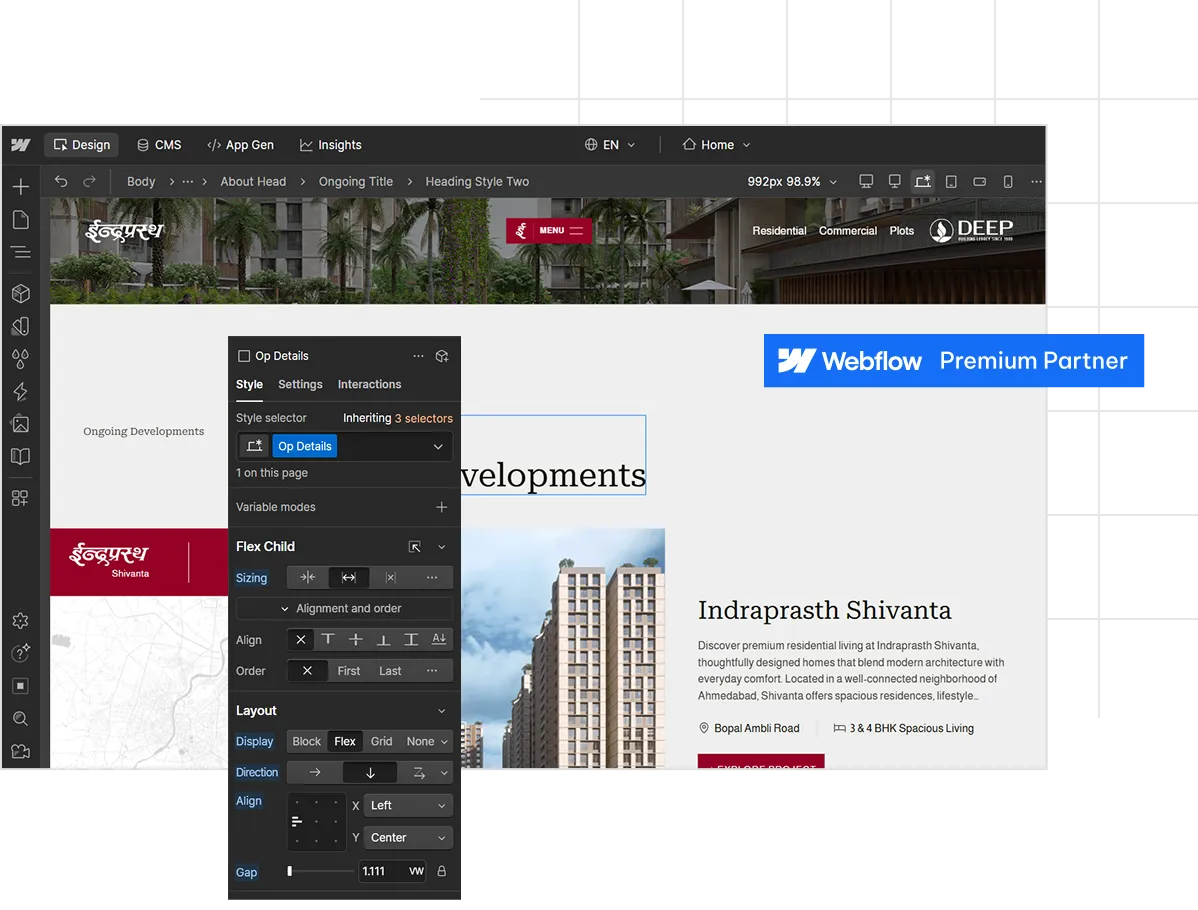
AppsRow, a certified Webflow partner trusted by 100+ brands, builds more than just websites, we create high-performing digital experiences that drive real growth. Combining brand strategy, UI/UX expertise, and advanced Webflow development, we craft conversion-focused, scalable websites that are fast, visually compelling, and easy to manage. Our focus is not just on design, but on delivering measurable results through strong branding, seamless user experience, and performance-driven execution.
Team Size
Successful Projects
4.8 ★ Avg Client Rating
Backed by 100+ verified reviews across platforms.
Over 300+ projects delivered across industries, showcasing our experience and capability in no code and Webflow solutions.
10+ Recognition
From global publications to respected design communities. We’ve been honored to be featured and awarded across the board.


4 Webflow Certifications
Premium Partner + Experts Level 1 & 2, CMS, Layout, and more.

Working with leading brands around the globe since 2016
Strategy. Design. Development. All In Webflow.
Our 360° webflow service stack covers every stage of your digital journey, delivering seamless execution and high impact results.
Design
We craft visual experiences that capture attention and build trust from brand identity to seamless UI/UX for every screen.
Development
Our development team builds high-performance solutions tailored to your business needs using modern technologies.
Digital Marketing
We help you grow visibility, generate leads, and convert traffic into loyal customers through performance marketing and content strategies.
Design
We craft visual experiences that capture attention and build trust from brand identity to seamless UI/UX for every screen.
Development
Our development team builds high-performance solutions tailored to your business needs using modern technologies.
Digital Marketing
We help you grow visibility, generate leads, and convert traffic into loyal customers through performance marketing and content strategies.
Leading Webflow development company for high-growth brands.
From brand identity to Webflow development and marketing, we handle it all. Trusted by 300+ global startups and teams.
Real brands. Real results.
We partner with startups, SaaS companies, and growing brands to build standout identities, pixel-perfect Webflow sites, and high-converting marketing campaigns.
Ideas. Insights. Innovation.
Explore expert articles that bring clarity, inspiration, and strategic value to your digital projects. From Webflow development to UI/UX thinking,
If you have visited webflow.com/pricing recently, you already know the page is dense. Site plans, Workspace plans, Ecommerce plans, add-ons, seats, AI credits, and now a brand new pricing structure that rolled out on May 13, 2026. For founders, marketing leaders, and agencies trying to budget a real website, the question is not "what is Webflow's cheapest plan" but "what will my final invoice actually look like once we publish, scale, and collaborate."
This guide breaks down every layer of Webflow pricing in 2026, explains the recently announced changes, compares Webflow head to head with the other five major platforms, and helps you decide which plan fits your team. By the end, you will know exactly how Webflow charges, where the hidden costs hide, and when the platform pays for itself in saved engineering hours.

Why Webflow Just Updated Its Pricing in May 2026
On May 13, 2026, Webflow announced its biggest pricing overhaul since the December 2024 seat restructure. The company is doing three things in one move.
First, it is simplifying the Site plan lineup. The old CMS plan ($23/mo) and Business plan ($39/mo) are being merged into a single new tier called the Premium Site plan, priced at $25/mo billed yearly or $39/mo billed monthly. According to Webflow's official announcement, "Today, we're introducing a new Premium Site plan by combining the CMS and Business Site plans into one. This helps simplify our overall lineup so it's easier for customers to understand which plan is right for them. The Premium plan is priced at $25/month for a yearly plan or $39/month for a monthly plan."
Second, Webflow is raising the CMS ceiling and removing add-ons. The Premium plan now includes 20,000 CMS items and 40 CMS Collections by default, removing the need for separate CMS item add-ons. If you currently pay for a CMS items add-on on a Business plan, that add-on cost gets removed at your next renewal because the new limit covers it.
Third, Webflow is introducing the Team plan, an all-in-one package designed for fast-growing teams that have outgrown self-serve but are not ready for Enterprise. "The Team plan bundles all into a single all-in-one plan designed for fast-growing teams that have outgrown self-serve but aren't quite ready for Enterprise. It includes a site with 100 CMS Collections, 10 seats, Localization, and features previously not available on self-serve like our new AEO agents, page branching, single-page publishing, and so much more."
A fourth quieter change: starting May 13, 2026, AI credits are included in all Workspace plans, with paid add-ons available for teams that need more. Credit limits will not be enforced until June 29, 2026, which gives existing customers a runway to study their usage.
When the Changes Take Effect
The rollout is phased. For all new Site plan purchases, changes take effect starting May 13, 2026. For all other existing sites, changes take effect on your next renewal or billable change on or after June 29, 2026. Site owners can switch to yearly billing before then to lock in their current Site plan for another year.
If you are already on a CMS or Business plan, your site will be automatically migrated to Premium at your next renewal or whenever you make a billable change after June 29, 2026. You do not need to take action. The community reaction, however, has been mixed: some users will pay less under the new model, some the same, and some more, depending on bandwidth usage and whether they were paying for CMS add-ons.

How Webflow Pricing Is Structured: Site Plans vs Workspace Plans
The single most confusing thing about Webflow's pricing is that you are almost always paying for two things at once. This trips up nearly every first-time buyer.
A Site plan is what lets your website go live on a custom domain. It covers hosting, CDN, SSL, CMS capacity, bandwidth, and site-level features like form submissions and page password protection. You pay one Site plan per published website. If you run five client sites, you pay five Site plans.
A Workspace plan is what lets you build, collaborate, and stage sites before publishing. It controls how many people can edit, how many unpublished staging sites you can run, and what advanced features your design team can access (like code export, Shared Libraries, page branching, and role-based permissions). You pay one Workspace plan per team, not per site.
Both run on independent billing cycles, and the distinction matters because solo founders building one site can often skip the paid Workspace entirely. But the moment you bring on a content writer, a marketing manager, or a freelance designer, the Workspace tier becomes non-optional.
There is also a third category, add-ons, which are usage-priced features that stack on top of any Site or Workspace plan. We will get to those after we walk through the core plans.
Webflow Site Plans Deep Dive (2026 Pricing)
Let us look at each general Site plan, with both the legacy structure (for context, since many customers are still on it) and the new post-May 13 structure.
Starter (Free)
Every Webflow account begins on the free Starter plan. It is genuinely useful for learning the platform, prototyping, or wireframing client concepts, but it has hard limits that make it impractical for production.
You get a webflow.io subdomain (no custom domain), 2 pages, 20 CMS Collections, 50 CMS items, 1 GB bandwidth, and 50 lifetime form submissions. The Webflow badge stays visible in the bottom right corner. For a quick prototype or a personal landing experiment, it works. For anything you plan to publish to a real domain, you will need to upgrade.
Basic Plan
The Basic plan is for static sites that do not need a CMS. Think single-page landing pages, simple portfolios, or brochure sites.
Under the legacy structure, Basic is $14/mo billed yearly with 150 static pages and 10 GB bandwidth. Under the May 13, 2026 update, the Basic plan moves to $15/mo billed yearly with 300 static pages (up from 150), 10 GB bandwidth, and unlimited form submissions. The trade-off some users have flagged: while the page count doubles, the price ticks up slightly.
The catch with Basic remains the same: zero CMS features. If you ever want a blog, a team page powered by structured data, or any content you will update regularly, you will need the next tier.
Premium Plan (Replaces CMS and Business)
This is the headline change in 2026. Webflow has merged the CMS plan ($23/mo) and the Business plan ($39/mo) into one Premium Site plan at $25/mo billed yearly, or $39/mo billed monthly.
What Premium includes:
- Custom domain
- 300 static pages
- 40 CMS Collections
- 20,000 CMS items included by default (no add-on needed)
- Unlimited form submissions
- Site search
- Form file upload (max 10 MB per upload, 10 GB storage included)
- Webflow AI features
- Surge protection
- Bandwidth tiers scaling from 100 GB up to 2.5 TB depending on configuration
This is a significant simplification. Before the change, teams running content-heavy marketing sites had to choose between the CMS plan and the Business plan based on bandwidth and CMS limits, and they often had to layer in CMS item add-ons (priced at $25/mo for +5,000 items and $50/mo for +10,000 items billed annually). Now those add-ons are gone, included in the base price.
The community reaction has been split. As one blog put it, "The Price Jump: The new Premium plan is set at $25/mo (billed yearly) or $39/mo (billed monthly). Mandatory Migrations: Current CMS plan users are being moved directly into this higher-priced tier." Some CMS customers paying $23/mo will see their bill go up to $25/mo, while many Business customers paying $39/mo with no add-ons will see their bill drop to $25/mo. The actual financial impact depends on your bandwidth usage and previous add-ons.
Enterprise
Webflow Enterprise is custom-priced and built for organizations needing guaranteed SLAs, SSO, custom security headers, audit logs, advanced collaboration, design approvals, page branching, and dedicated customer success. There is no published price; you talk to sales. Customers like Dropbox, Discord, Lattice, and The New York Times sit here.
Webflow Workspace Plans Explained
Workspace plans run on a different axis: they cover the team and staging side of the platform. Webflow splits Workspace plans into two flavors, one for in-house teams and one for service providers (freelancers and agencies).
In-House Workspace Plans
Starter (Free): 2 webflow.io staging sites, 1 full seat, basic Webflow AI access. This is the default plan every account gets. It works for solo builders and very small teams who only need one or two staged sites.
Core ($19/mo billed yearly): 10 webflow.io staging sites, 300 pages per staged site, 1 full seat, custom code on staging, code export, and Shared Libraries (one). This is the entry tier for professionals who need to stage multiple projects or export code for handoff.
Growth ($49/mo billed yearly): Unlimited staging sites, 1 full seat, site-specific access, site-level roles, publishing permissions, code export, and Shared Libraries. This is where serious in-house teams land when they need granular role control over who can edit what.
Enterprise: Custom pricing. Includes 5 full seats by default, custom roles and permissions, page branching, design approvals, branch staging, private staging, custom staging domains, SSO, SCIM, and a guaranteed SLA.
Workspace Plans for Freelancers and Agencies
These plans are structurally similar but tuned for client work, with client billing, free guest access to client Workspaces, and client seats baked in.
Starter (Free): 2 staging sites, 1 full seat, 1 free client seat per paid site.
Freelancer ($16/mo billed yearly): 10 staging sites, 1 full seat, 1 free client seat per site, full CMS access on staging, client payments, Shared Libraries.
Agency ($35/mo billed yearly): Unlimited staging sites, 1 full seat, 3 free client seats per site, full CMS access on staging, client payments, Shared Libraries, advanced roles and permissions.
.jpg)
The Seat Math That Catches Teams Off Guard
This is the part of Webflow pricing that surprises buyers most. Workspace plans include exactly one full seat. Every additional collaborator costs extra:
- Full seat: $39/mo (designers, builders, admins)
- Limited seat: $15/mo (content editors, page builders)
- Free seat: $0 (reviewers and commenters only)
This explains the wide gap between the headline plan price and the actual invoice. As one detailed pricing breakdown observed, "the largest pricing surprise we see at Flow Ninja is teams adding a marketing manager and a content writer to a Workspace, then realizing each one is a $15/mo Limited Seat on top of the plan base. Multiply by a 6-person team and the difference between '$19/mo plan' and 'actual invoice' is significant."
For a 5-person marketing team on Growth, expect: $49/mo (plan) + 4 additional Limited seats at $15/mo each = $109/mo, or close to $1,300/year before you even add a Site plan.
Webflow Ecommerce Plans
If you are selling products through Webflow, you need a dedicated Ecommerce plan layered on top of your Workspace setup. There are three tiers, and they are markedly more expensive than the general Site plans.
Standard ($29/mo billed yearly): 500 ecommerce items, 2,000 CMS items, 2% transaction fee (in addition to Stripe or PayPal processing fees), all CMS plan features included. Best for businesses just starting out.
Plus ($74/mo billed yearly): 5,000 ecommerce items, 10,000 CMS items, 0% transaction fee, all Business plan features included. This is where you stop paying the platform's percentage cut on every sale.
Advanced ($212/mo billed yearly): 15,000 ecommerce items, 10,000 CMS items, 0% transaction fee, all Business plan features. For scaling stores with large catalogs.
All plans include Stripe and PayPal integrations, Apple Pay, automatic tax calculation, custom checkout and shopping cart design, and unlimited gross sales volume. Webflow Ecommerce is genuinely strong on design control (you can theme the checkout completely), but it is notably weaker than Shopify on multi-channel selling, advanced inventory management, and the third-party app ecosystem.

Webflow Add-Ons: Where Hidden Costs Live
Webflow has been steadily moving toward a "platform" pricing model, where the base Site plan is just the start, and the real capability is unlocked through add-ons. In 2026, four major add-ons stack on top of any Site plan.
Optimize starts at $299/mo and scales by page views (25K, 50K, 100K, 250K, 500K tiers). It is Webflow's native A/B testing, multivariate testing, and AI-driven personalization suite. The pricing is firmly enterprise-tier, which is why most teams running real conversion programs justify it through revenue impact rather than running it from day one. A useful rule of thumb: add Optimize when your top-5 page revenue is at least 10x the Optimize bill.
Analyze starts at $9/mo for 2,000 sessions and scales up to several hundred per month for 500K sessions. It is Webflow's in-platform analytics, designed as a cookieless, privacy-friendly alternative to Google Analytics 4. Lightweight, but useful if you want analytics inside the dashboard rather than a separate GA4 setup.
Localization Essential is $9/mo per locale (up to 3 locales) and includes machine-powered translation, CMS localization, static page localization, localized SEO, and style localization.
Localization Advanced is $29/mo per locale (up to 10 locales) and adds asset localization, localized URLs, automatic visitor routing, and more.
Webflow AEO (Answer Engine Optimization) is rolling out for Enterprise customers and represents Webflow's bet on AI-driven search visibility. AEO agents audit your site for visibility in tools like ChatGPT, Perplexity, and Google's AI Overviews. For now, it sits behind Enterprise pricing.
CMS and Bandwidth Add-Ons (Legacy)
Before the May 2026 update, customers on the Business plan often paid for CMS item add-ons (e.g., +5,000 items for $25/mo annual, +10,000 items for $50/mo annual) and bandwidth add-ons (e.g., +50 GB for $20/mo annual, +100 GB for $40/mo annual). With the move to the Premium plan and its 20,000 CMS items included, the CMS add-ons are being phased out. Bandwidth add-ons remain available for teams pushing serious traffic.
Hidden Costs to Watch For
Beyond the listed plan prices, three line items routinely catch buyers off guard.
Domain registration. Webflow does not include a domain. You buy it separately from a registrar like Namecheap, GoDaddy, or Cloudflare for roughly $10 to $20 per year and connect it in your site settings.
Monthly vs annual billing premium. Monthly billing costs roughly 25% to 33% more than annual. The Basic plan jumps from $15/mo annual to $25/mo monthly, and the Premium plan jumps from $25/mo annual to $39/mo monthly. For most teams committed to Webflow, the annual commitment is worth the savings.
Surge protection and forced upgrades. Webflow gives you one month of grace if you exceed your bandwidth allotment. Exceed it two months in a row, and you get auto-upgraded to the next tier at your next renewal. For sites with bursty traffic (a viral launch, a campaign spike), this can quietly bump your bill.
Seat creep. As discussed above, every collaborator beyond the first full seat is an additional line item. Teams forget to count this until invoice month one.

Webflow vs The Major Alternatives: A 2026 Pricing Comparison
Pricing only matters in context. Here is how Webflow compares to the five platforms it most commonly gets evaluated against.
Webflow vs WordPress
WordPress is technically free, and that single fact distorts every honest comparison. The CMS software itself costs nothing, but the total cost of ownership is anything but free.
A real WordPress site requires hosting (starting at $3.99/mo on shared hosting, climbing to $30 to $100/mo on managed hosts like WP Engine or Kinsta), a theme (free to $80 one-time), essential plugins (Yoast SEO, security suites, caching, backup, often $50 to $300/year combined), and ongoing maintenance.
According to one definitive industry comparison, "a WordPress site that performs well and stays secure will cost you $150 to $500+ per month in total when you add hosting, plugins, maintenance, and occasional developer fixes."
That cost gap widens when you factor in security. "Patchstack's 2025 mid-year vulnerability report found that 96% of WordPress vulnerabilities were in plugins and 4% in themes." WordPress is powerful and infinitely extensible, especially for content-heavy sites, but it is also a maintenance burden that Webflow eliminates entirely.
Verdict: WordPress wins on raw flexibility, plugin ecosystem, and content archive scale. Webflow wins on predictable cost, security, performance out of the box, and not needing a developer for routine updates.
Webflow vs Wix
Wix targets a fundamentally different buyer. It is built for non-technical users who want drag-and-drop simplicity and a giant template library. Pricing in 2026 starts at $17/mo (Light) and goes to $159/mo (Business Elite).
Wix bundles everything: hosting, templates, basic ecommerce, email marketing, and customer support, all in one plan. The trade-off is design ceiling. As one comparison noted, "Wix is generally considered more beginner-friendly, while Webflow offers more advanced design flexibility for those with web development experience."
For a 3-page local business site, Wix is cheaper, faster to set up, and arguably more accessible. For a B2B SaaS site that needs custom interactions, structured content, and pixel-level design control, Webflow is the better long-term investment even at a higher per-month cost.
Verdict: Wix wins on simplicity, all-in bundling, and price for non-technical users. Webflow wins on design flexibility, SEO performance, and code-quality output.
Webflow vs Squarespace
Squarespace is the polished, design-forward middle ground. Pricing ranges from $16/mo (Basic) to $99/mo (Advanced), billed annually, with hosting, SSL, templates, and basic ecommerce all included.
Where Squarespace shines is curated, beautiful templates and out-of-the-box ease. Where Webflow pulls ahead is the visual development model. With Webflow, you are essentially building with CSS classes, flexbox, and grid in a visual editor; the output is clean, semantic HTML. Squarespace abstracts more, which is why some templates feel "Squarespace-y" and harder to escape.
"Squarespace vs Webflow vs Wix website builder price comparison revealed that Squarespace has the pricing part figured out better than Wix & Webflow compared to the service quality & main features."
Verdict: Squarespace wins on simplicity and template polish. Webflow wins for teams that need full design control, custom interactions, or a real CMS.
Webflow vs Framer
Framer has been Webflow's most direct competitor in the visual builder space since 2023. In 2026, the pricing structures look like this:
- Framer Basic: $10/mo (annual)
- Framer Pro: $30/mo (annual), includes up to 10 editors
- Framer Scale: custom, annual only
- Framer Enterprise: custom
Framer wins on price at the entry level. "Framer is consistently 20–40% cheaper for portfolios, landing pages, and small marketing sites, while Webflow justifies its premium for large-scale content operations and native e-commerce."
The honest five-person team comparison is striking. "On Framer. Pro plan at $30/mo. 5 editors are included on Pro. Total: roughly $30/mo per site. On Webflow. Business Site plan at $39/mo. Core Workspace at $19/seat × 5 seats = $95/mo."
But Framer hits limits on CMS depth (Framer Basic includes only 1 CMS collection, Pro includes 10, Scale includes 20), native ecommerce (Framer has none, only Shopify embeds), and code export (Framer does not allow it; Webflow does on paid Workspaces).
Verdict: Framer wins for design-first teams, small marketing sites, and Figma-fluent designers who want speed. Webflow wins for content-heavy operations, native ecommerce, enterprise compliance, and granular CMS architecture.
Webflow vs Shopify
This comparison only really applies if you are running an ecommerce-first business. Shopify pricing starts at $29/mo (Basic Shopify), goes to $79/mo (Shopify), $299/mo (Advanced Shopify), and Shopify Plus at $2,000+/mo.
Shopify is purpose-built for selling. The checkout is fast, conversion-optimized, and integrated with hundreds of payment processors and shipping providers. The app marketplace dwarfs Webflow's. Multi-channel selling (Amazon, Instagram, TikTok Shop) is native.
Webflow Ecommerce is genuinely beautiful and gives you total design control over the storefront, cart, and checkout. But for a store doing serious volume, the ecosystem gap matters. Some teams now use a hybrid: Webflow for the marketing site, Shopify for the actual store, connected via headless or theme conversion.
Verdict: Shopify wins for ecommerce-first businesses, multi-channel selling, and large catalog management. Webflow wins for design-first brands where the visual experience of the store matters more than the depth of commerce features.
Screenshot suggestion 7: Side-by-side platform comparison graphic showing starting prices for Webflow, WordPress, Wix, Squarespace, Framer, and Shopify in 2026.
Summary Comparison Table
Which Webflow Plan Is Right For You?
A practical decision framework, by use case.
You are building a single landing page or a personal portfolio: Start with Webflow Basic. $15/mo on annual, no CMS, plenty for static sites.
You are launching a SaaS marketing site with a blog and a few content collections (case studies, team members, testimonials): The new Premium plan at $25/mo is the obvious fit. The included 40 Collections and 20,000 CMS items will cover almost any growing B2B operation.
You are an agency or freelancer running 5+ client sites: Pay for the Agency Workspace plan ($35/mo) and the Freelancer plan if you are solo ($16/mo). Bill each Site plan to the client through Webflow's client billing feature.
You are a fast-growing scale-up with a 10-person marketing team running localization and A/B testing: The new Team plan is built for exactly this profile. You will need to talk to Webflow's team for pricing.
You are an enterprise with SSO, compliance, audit log requirements, and design approvals: Webflow Enterprise. Pricing is custom and negotiated.
You are an ecommerce brand doing under $100K/year in sales: Webflow Ecommerce Standard at $29/mo, accepting the 2% transaction fee in exchange for full design control.
You are an ecommerce brand doing over $500K/year: Either Webflow Ecommerce Plus or Advanced (to eliminate the transaction fee), or consider a hybrid setup with Shopify handling commerce and Webflow handling the marketing site.
Why Webflow Pricing Pays Off When You Build It Right
Here is the part most pricing breakdowns leave out. The Webflow invoice is only half the conversation. The other half is what your team saves in engineering tickets, content velocity, and conversion lift.
According to Webflow's published customer outcomes, Dropbox Sign reported a 67% decrease in dev ticketing after moving to Webflow, NCR reported a 10x annual cost savings, DocuSign saw a 1,170% increase in traffic year over year, and Lattice saw a 20% lift in site-wide conversion. The platform fee in these cases was a rounding error compared to the engineering and growth gains.
But unlocking that ROI requires building the site right. A poorly architected Webflow CMS, a sloppy class system, a bloated bandwidth footprint, and overpaid seat counts will all turn a "cheap" platform into an expensive one. This is where partnering with a certified Webflow agency makes the difference between getting value from the platform and just paying for it.
Build Your Webflow Site With Appsrow: Certified Webflow Development Expertise
At Appsrow, we are a Premium Certified Webflow Partner agency that has delivered 300+ Webflow projects for SaaS startups, B2B companies, agencies, and growing brands across the globe. We specialize in turning the platform's design flexibility into measurable business outcomes, not just pretty websites.
Here is how we help teams get the most out of Webflow in 2026:
Custom Webflow Design and Development: We design and build pixel-perfect, conversion-focused Webflow sites from scratch or convert your Figma designs into fully responsive Webflow builds. Every site is optimized for Core Web Vitals, SEO, and clean class architecture so it scales without technical debt.
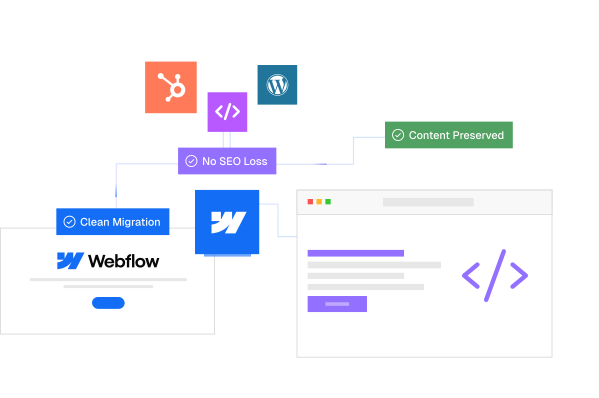
CMS Architecture and Migrations: We design scalable CMS structures using Webflow's next-gen CMS, including multi-level nested collections, reference fields, and conditional visibility. If you are migrating from WordPress, Wix, Shopify, or a custom build, we handle the full migration with content, SEO rankings, and structure intact.
Advanced Animations and Interactions: Our team builds high-performance scroll-triggered animations with GSAP and Lottie, micro-interactions, and immersive scroll experiences that lift engagement without hurting page speed.
Custom Code and API Integrations: We extend Webflow with custom JavaScript, HubSpot integrations, Make/Zapier automation, Airtable databases, Memberstack, Wized, Stripe, and headless CMS architectures when Webflow's native limits do not fit.
Webflow Ecommerce: Custom storefronts, themed checkouts, cart optimization, and product pages built for conversion. We also help hybrid brands run Webflow for marketing and Shopify for transactions, with seamless integration between the two.
SEO and Performance Optimization: Clean semantic HTML, structured data, schema markup, fast loading times, optimized images, and AEO-ready content architecture so your site shows up in both Google search and AI-driven answer engines.
Ongoing Support and Maintenance: Monthly maintenance packages covering content updates, performance audits, security monitoring, A/B test execution, and CRO improvements so your site keeps compounding value over time.
Whether you are evaluating Webflow for the first time, migrating from another platform, or scaling an existing Webflow site that is hitting structural limits, our team can help you build it the right way from day one. We work with founders, marketing leaders, and design agencies who need a partner that understands both the Webflow platform and the business outcomes it is meant to drive.
Get a free Webflow consultation with Appsrow →
Final Thoughts on Webflow Pricing in 2026
Webflow's May 2026 pricing update is a genuine simplification, even if the messaging around it has been mixed. The new Premium plan removes the awkward middle-ground decision between CMS and Business, includes far more CMS capacity by default, and aligns Webflow's offering more cleanly with how content-heavy teams actually scale.
The honest summary: Webflow remains the most powerful visual development platform for SaaS, B2B, agencies, and design-led brands that want full design control without committing to a custom-coded stack. It is not the cheapest option on paper, and the seat math does catch teams off guard. But when you factor in the engineering tickets it eliminates, the security and maintenance overhead it removes, and the conversion lift well-built Webflow sites consistently deliver, the platform fee is rarely where the real cost lives.
The right question is not "is Webflow expensive" but "is the Webflow site you build going to pay back the platform fee fifty times over." For most modern marketing and product teams, the answer is yes, provided the site is built right. And that is where the choice of build partner matters as much as the choice of platform.
If you are planning your next Webflow project or rethinking your current plan in light of the May 2026 changes, the Appsrow team is here to help you map the right path forward.
Frequently Asked Questions About Webflow Pricing in 2026
Webflow
No Code
For years, running a Webflow site meant clicking through the Designer, updating CMS items one by one, and pulling in developers every time the work moved beyond drag and drop. That equation just changed. With the official Webflow connector for Claude, you can now talk to your site in plain English and watch it respond. Pages get audited. CMS items get created in bulk. Style systems get cleaned up. Localized landing pages get drafted in minutes instead of hours. The connector is built on Webflow's Model Context Protocol (MCP) server, which gives Claude real, governed access to your Designer and Data APIs. In practical terms, that means Claude is no longer just a brainstorming partner sitting next to your browser tab. It is an operator inside your site, executing tasks you would normally schedule across multiple team members and several days of work.

This shift matters because the bottleneck in most Webflow projects has never been ideas. It has been execution. Every team has a backlog of SEO fixes, content updates, class cleanups, and new pages waiting for someone to find the time. The Webflow + Claude connector compresses that backlog dramatically. Below are five concrete things you can do with it today, the kind of work that pays for itself the first week you turn it on.
1. Run Full SEO Audits and Apply Fixes at Scale
SEO maintenance is one of those tasks that everyone agrees is important and almost no one keeps up with. Meta titles drift past 60 characters. Descriptions go generic. Images get uploaded without alt text. Slug structures lose their logic as the team grows. On a 50 page site this is annoying. On a 200 page site with hundreds of CMS items, it is a full week of focused work that rarely gets prioritized.
With Claude connected to Webflow, the entire audit collapses into a single working session. You can ask Claude to list every page and CMS item on the site, flag any meta title over 60 characters, flag any description over 155 characters, identify missing alt tags on CMS images, and check whether the main keyword from the slug actually appears in the title. Claude returns the findings in a structured table, proposes corrected versions for each problem case, and waits for your approval before touching anything. Once you sign off, it applies the fixes directly to Webflow through the Data API.

Example prompt to try:
The real win is consistency. A human auditor gets tired around row 80 and starts approving things they would have rejected at row 10. Claude does not. It applies the same rules with the same precision across the entire site, and the savings on a mid-sized project typically land somewhere between four and eight hours of senior time.
2. Manage Bulk CMS Updates Without Touching the Designer
The CMS is where most Webflow sites actually live. Blog posts, case studies, products, team members, locations, FAQs, all of it sits in collections that need constant attention. Adding 20 new product entries the old way meant either manual entry or a CSV import that often broke on reference fields. Updating one field across an entire collection meant clicking into each item, making the change, and saving. For content teams, this was the slowest part of the job.

The Claude connector turns CMS work into a conversation. You can ask Claude to create new items from a list, update specific fields across an entire collection, change category assignments based on rules you define, rewrite portions of existing items to match a new tone, or restructure a blog by reassigning posts to different topic clusters. Because Claude reads the collection schema before acting, the data it writes already conforms to your field types, your reference relationships, and your slug conventions. No broken imports. No fields ending up in the wrong place.
Example prompt to try:
"In my Blog Posts collection, find every item still tagged with the old category 'News' and reassign it to either 'Product Updates' or 'Company News' based on the content of the post. Show me your proposed reassignments in a table before applying."
This is particularly powerful for e-commerce operators and content-heavy sites. Inventory adjustments, price changes, seasonal product launches, blog reorganizations, all of these become tasks you describe rather than tasks you click through.
3. Clean Up Your Design System and CSS Class Hygiene
Any Webflow site that has been live for more than a year tends to accumulate technical debt in its style system. Duplicate classes pile up because two contributors named the same thing slightly differently. Hardcoded color values appear where a CSS variable already exists. Spacing values drift from your design tokens. Component variants multiply for no real reason. The site still looks fine, but the foundation has become hard to maintain, and onboarding a new designer to it costs real time.

Claude can audit the entire class and variable system through the Designer API. Ask it to list every class on the site, identify duplicates or near duplicates, flag naming inconsistencies, find hardcoded values that should be tokens, and surface unused styles that can be safely removed. Claude produces a clean report you can review before any changes are made. With your approval, it can then consolidate duplicate classes, replace hardcoded values with the right CSS variables, and standardize naming across the site.
Example prompt to try:
"Audit all classes and variables in my Webflow site. List duplicate or near duplicate classes, any hardcoded color or spacing values that should be replaced with existing variables, and classes that appear unused. Produce a structured cleanup report with your recommendations, ranked by impact."
For agencies inheriting client sites, this single capability shortens the audit phase of new engagements significantly. For in-house teams, it gives you a way to keep design system hygiene as part of regular maintenance rather than a one-time crisis project.
4. Generate Content That Actually Matches Your Existing Structure
Most AI writing tools produce generic output that needs heavy editing before it can sit alongside your existing content. Tone is off. Internal linking is missing. Headers do not match your taxonomy. The article reads like an article from somewhere else, which is exactly the problem the Webflow connector solves.
Because Claude can read your existing CMS content directly, it can analyze the structure, voice, and formatting patterns of your published work, then generate new content that replicates those patterns precisely. If your blog uses a specific header hierarchy, embedded tables, internal anchor links, and a recurring section structure, Claude picks that up and applies it to the new piece. If you have a comparison series with a consistent format, it follows that format. If your product pages have a specific layout with consistent fields, it generates new entries that match.
The workflow looks something like this. You give Claude access to the relevant collection. You point it at two or three published items as reference. You provide source material or a brief. Claude drafts a new entry in the CMS as a draft, with the correct structure, the correct metadata, and internal links to related items already in place. You review, adjust a line or two, and publish.
Example prompt to try:

A comparison article that used to take two hours of structural work plus the actual writing now takes 30 minutes total.
5. Build Programmatic Landing Pages and Migrate Content Faster
Two of the most painful Webflow projects share the same underlying problem: repeating a structure many times with small variations. Local SEO pages are the classic example. You need 20 location specific landing pages, each with the same skeleton but localized data, examples, and language. Done manually, that is two to three days of work. Done with the connector, it is an afternoon.

The flow is straightforward. Claude reads your pillar page and the most relevant case studies or proof points from the CMS. It identifies the sections that need adapting for each target city or region. It generates a localized version for each target with the right examples, statistics, and contextual language. It creates the draft in the CMS with correct metadata. You review the batch, make adjustments, and publish.
Example prompt to try:
Content migration follows a similar logic. Moving 30 consultant pages from WordPress to Webflow used to mean reformatting HTML, cleaning up shortcodes, mapping fields, and configuring redirects, all by hand. Claude can read source pages provided via HTML export, reformat them into clean Webflow compatible structure, push them into the target CMS with proper metadata, and generate the full list of 301 redirects in one pass. The grinding parts of migration disappear from the project scope, which means you can quote migration work more aggressively and deliver it faster.
Where the Connector Sits in Your Workflow
A few practical notes worth knowing before you turn this on. The Webflow connector requires a paid Claude plan. Setup takes about three minutes from the Connectors menu inside Claude, using standard OAuth to authorize the sites you want to connect. For CMS, metadata, and content operations through the Data API, you do not need the Webflow Designer open. For operations that touch the canvas through the Designer API, the companion app needs to be running. Most everyday work falls into the first category, which is part of why this is so usable for marketing and content teams who do not live inside the Designer.

The other thing to set correctly is approval mode. Claude can run in automatic mode, where it executes changes directly, or manual mode, where it lists each intended change and waits for confirmation. For production sites, manual mode is the right starting point. You see exactly what is about to happen before it happens, which keeps you in control while you learn what the connector is good at.
Conclusion: From Talking About Changes to Making Them
The interesting part of the Webflow + Claude connector is not any individual feature. It is the closing of the gap between deciding to do something and seeing it live on the site. For most teams, that gap is where projects die. SEO audits sit in spreadsheets nobody acts on. Class system cleanups get pushed to the next quarter forever. Content backlogs grow because the bottleneck is execution capacity, not strategy. By giving Claude real, governed access to your Webflow site, that bottleneck loosens significantly. The work that used to require a sprint now fits inside an afternoon.
This does not mean Webflow becomes a black box you stop understanding. The connector is built around Webflow's existing structure, so everything Claude does is editable, reviewable, and reversible in the same Designer your team already uses. You get speed without giving up control. For agencies, that means more projects shipped per quarter. For in-house teams, it means the maintenance and optimization work that always slipped to the bottom of the list finally starts getting done. If you run a Webflow site and have not turned the connector on, the five minutes of setup is the most lopsided ROI investment available to you this year.
About Appsrow
This blog is brought to you by Appsrow, a team with deep, hands-on expertise in Claude integrations and Webflow development. We help businesses connect Claude to Webflow the right way, from setting up the MCP connector and configuring approval workflows, to building custom automations for CMS operations, SEO at scale, content generation pipelines, and full site migrations. If you want to turn the ideas in this post into working systems on your own site, we know the platform, we know the AI layer, and we know how to make the two work together without cutting corners on governance, branding, or design quality. Reach out to talk about your Webflow + Claude project.
Webflow
Frequently asked questions
Appsrow brings years of expertise with a proven track record across SaaS and AI industries, delivering pixel-perfect websites optimized for performance. Our client-centric approach combines technical excellence with strategic thinking to create digital experiences that convert visitors into customers and scale with business growth.
Yes, Appsrow serves clients worldwide while being recognized as a top Webflow agency in India. We have successfully delivered projects across North America, Europe, Asia, and Australia with seamless communication across time zones. Our global experience combined with competitive pricing makes us a reliable digital transformation partner.
Appsrow has deep expertise serving SaaS companies, AI startups, fintech, e-commerce, and technology-driven businesses. We understand industry-specific challenges and create tailored Webflow solutions that align with your business goals, user expectations, and conversion objectives in competitive markets.
Project timelines typically range from 2-8 weeks depending on complexity and scope. Our structured Webflow development process includes discovery, design, development, and QA phases to ensure quality delivery. Simple landing pages complete in 2-3 weeks while complex platforms with CMS and integrations take 6-8 weeks.
Absolutely! Appsrow specializes in website migration to Webflow from various platforms. Whether you are moving from WordPress, Shopify, or Wix, we preserve your SEO rankings, content, and functionality throughout the process.
Appsrow offers flexible pricing models including fixed-project pricing and dedicated team engagements. Our B2B partnership program provides white-label solutions for agencies at partner rates. We provide detailed proposals after understanding specific requirements, ensuring complete transparency without hidden fees or surprise charges.
Yes, Appsrow offers comprehensive Webflow maintenance packages including updates, security monitoring, performance optimization, and content management support. We also provide conversion rate optimization services to continuously improve your site performance and business outcomes over time.
Yes, you can hire dedicated Webflow developers or Webflow designers from Appsrow who work exclusively on your projects. Our professionals are highly skilled, stay updated with latest Webflow features, and integrate seamlessly with your existing team for long-term collaboration.
Appsrow follows a rigorous quality assurance process with multiple testing phases, code reviews, and performance audits. Our Webflow development standards include cross-browser testing, responsive verification, accessibility checks, and SEO best practices implementation to guarantee exceptional, conversion-ready websites.


.png)
.png)