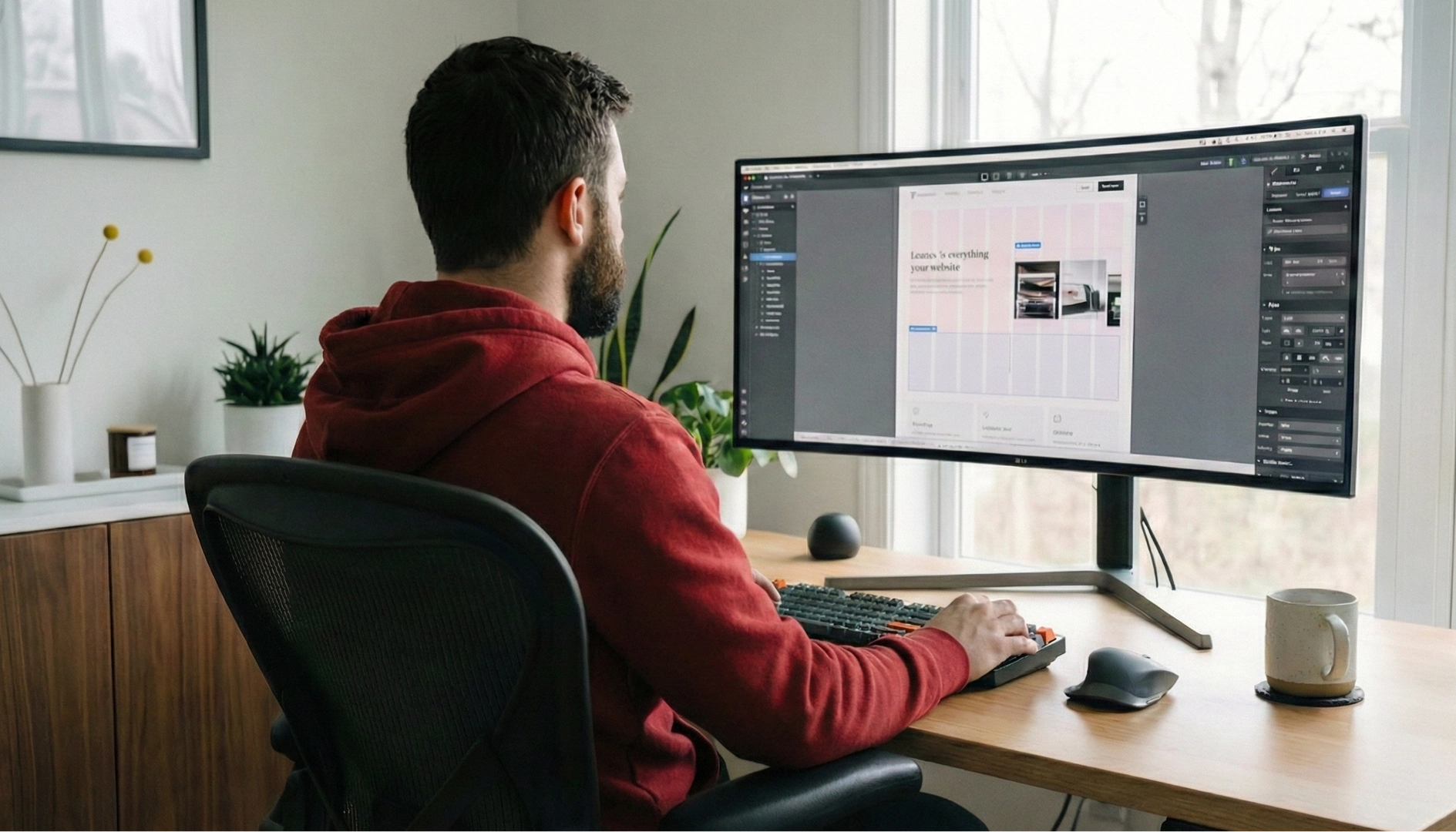


Webflow
April 23, 2026


.webp)
Transform your website with expert Webflow development
From brand identity to Webflow development and marketing, we handle it all. Trusted by 50+ global startups and teams.
The internet has changed the way businesses communicate with customers, sell products, and build lasting brand identities. Behind every successful online business is a well-designed, high-performing website. But for most business owners, building that website has historically meant one of two frustrating paths: hiring a team of developers and spending tens of thousands of dollars on custom code, or settling for a generic, limiting template inside a basic website builder that never quite looks the way you envisioned it.
That gap between creative ambition and technical capability has been one of the most persistent problems in digital business. Until recently, truly professional websites required professional developers. Beautiful, custom designs required serious budgets. Fast, SEO-optimized pages required a skilled engineering team. For small to medium-sized businesses, these realities often meant their websites fell short of what they actually needed to compete.
Webflow emerged as a direct answer to that problem. Founded in 2013 and growing rapidly through the 2020s, Webflow has redefined what a website builder can be. It is not a drag-and-drop page builder full of limitations. It is not a basic template system with cookie-cutter results. Webflow is a professional-grade web design and development platform that gives designers and business owners unprecedented control over how their websites look, feel, and function, without requiring them to write a single line of code.
In 2026, Webflow has firmly established itself as one of the most important platforms in the web design industry. Agencies, freelancers, enterprise teams, and solo entrepreneurs are all turning to Webflow as their preferred tool for building everything from simple landing pages to complex, content-rich business websites and e-commerce stores. If you are a business owner trying to understand what Webflow is, whether it is right for your business, and how it compares to the other options available to you, this guide was written specifically for you.
We will walk you through exactly what Webflow is, how it works, what makes it different from other platforms, what kinds of businesses it is best suited for, and what the practical process of building and managing a Webflow website actually looks like. By the end of this guide, you will have a clear, honest understanding of whether Webflow belongs in your business strategy.
At its core, Webflow is a visual web development platform. It allows users to design websites using a visual interface while simultaneously generating clean, production-ready HTML, CSS, and JavaScript code in the background. Think of it as a bridge between design software and a coding environment. You work visually, the way a designer would, but the output is real, professional code that meets modern web standards.
This is fundamentally different from traditional website builders like Wix or Squarespace, which generate bloated or proprietary code and give you only as much design flexibility as they decide to allow. It is also different from coding everything from scratch, which requires technical knowledge most business owners do not have and significant time investment. Webflow sits in a unique position: it gives you design freedom that approaches what is possible with custom code, while keeping the process accessible enough that non-developers can learn and use it effectively.
Webflow is also a hosting platform. When you build a site in Webflow, you can host it directly through Webflow's infrastructure, which runs on Amazon Web Services and Fastly's global content delivery network. This means your website gets enterprise-grade hosting, fast load speeds, automatic SSL certificates, and global performance optimization built into the platform itself. You do not need to find a separate hosting provider, configure servers, or deal with complex technical setup.
Additionally, Webflow includes a built-in Content Management System, known as the Webflow CMS. This lets you structure and manage dynamic content, such as blog posts, team member profiles, product listings, case studies, or any other type of repeatable content your business needs to publish. You can design how that content looks once and then let editors add or update content through a simple, non-technical interface without ever touching the design.
The website platform market in 2026 is crowded. WordPress, Shopify, Squarespace, Wix, Framer, and dozens of other tools all compete for business owners' attention. Understanding where Webflow fits requires understanding what each category of tool is actually optimized for.
WordPress is still the world's most widely used content management system, powering an enormous percentage of the internet. However, WordPress is a framework, not a finished product. To use it well, you typically need plugins for almost everything, a theme to control your design, a developer to customize that theme, and ongoing maintenance to keep plugins updated and security vulnerabilities patched. WordPress is powerful and flexible, but it comes with real complexity and technical overhead.
Shopify is the clear leader for e-commerce, particularly for businesses whose primary need is selling products online at scale. If your business is primarily a store, Shopify is often the right answer. But Shopify is not optimized for content-heavy business websites, service businesses, or companies that need highly customized marketing pages alongside their commerce functionality.
Squarespace and Wix are beginner-friendly platforms that make it easy to get a simple site online quickly. However, both platforms impose significant design constraints. You are largely working within their systems, their templates, their layouts. When you want to do something outside those boundaries, you often find yourself unable to, or forced into workarounds that produce unsatisfying results.
Webflow occupies a different category entirely. It is built for people who want genuine design control and professional-quality output without relying entirely on developers. The learning curve is steeper than Squarespace or Wix, but the ceiling of what you can achieve is dramatically higher. Businesses that outgrow their basic website builders consistently find Webflow to be the natural next step.
Why are so many businesses choosing Webflow in 2026 specifically? The answer comes down to several converging trends that have made Webflow's particular set of strengths especially valuable.
First, performance has become more critical than ever. Google's Core Web Vitals have been a ranking factor for several years now, meaning the speed and user experience of your website directly affects how well it performs in search results. Webflow's clean code output and optimized hosting infrastructure make it easier to achieve excellent performance scores compared to WordPress sites loaded with plugins or Wix sites running on shared infrastructure.
Second, the cost of developer time has continued to rise. Skilled web developers are expensive, and the traditional model of paying developers for every small change to a website is increasingly unsustainable for growing businesses. Webflow reduces dependency on developers by empowering marketing teams, content creators, and business owners to make updates, launch new pages, and manage content without technical help.
Third, design quality has become a competitive differentiator. In a digital landscape where customers make instant judgments about brand credibility based on website appearance, looking generic or outdated carries a real business cost. Webflow's design flexibility makes it possible to create truly distinctive, brand-aligned websites that stand out from the crowd of template-based competitors.
Fourth, the no-code and low-code movement has matured significantly. In the early days, no-code tools were seen as a compromise, a way to get something online quickly when you could not afford proper development. Today, that perception has changed. No-code and visual development tools like Webflow are recognized as legitimate production tools used by serious companies and sophisticated teams. Many businesses now build their primary websites on Webflow not because they cannot afford developers, but because Webflow genuinely produces better outcomes for their specific needs.
Understanding what Webflow can actually do for your business requires familiarity with its core features. Here are the capabilities that matter most for business owners evaluating the platform.
Visual Design Without Code Limitations
Webflow's designer gives you control over every visual aspect of your website. Layout, typography, colors, spacing, animations, hover effects, responsive behavior across devices, and much more. Unlike template-based builders, there is no set of permitted customizations. If you can design it, you can build it in Webflow. This level of control means your website can look exactly the way your brand requires it to look.
The Webflow CMS
The CMS is one of Webflow's most powerful features for content-driven businesses. You define content types, called Collections, that match the structure of your business content. For example, a consulting firm might have Collections for services, team members, case studies, and blog posts. You design the template for how each Collection item looks, and then editors can add or update content through a simple editor interface. The design stays consistent automatically across every piece of content you publish.
SEO Controls
Webflow gives you granular control over all the technical SEO elements that matter for search visibility. Meta titles and descriptions, Open Graph tags for social sharing, canonical URLs, structured data, XML sitemaps, and 301 redirects are all manageable directly within the platform. Clean semantic HTML output also means search engines can crawl and understand your content effectively without you needing to install separate SEO plugins.
Animations and Interactions
Webflow Interactions is a system for building scroll-based animations, micro-interactions, hover effects, and complex animated sequences entirely through a visual interface, no JavaScript required. For businesses in creative, technology, or high-end consumer categories where visual storytelling matters, Webflow's animation capabilities create the kind of polished, engaging experiences that used to require a specialist JavaScript developer.
Webflow Ecommerce
Webflow includes built-in e-commerce functionality that allows businesses to sell physical and digital products directly through their Webflow site. While it does not yet match Shopify's depth in terms of inventory management, shipping integrations, and third-party apps, Webflow Ecommerce is an excellent option for businesses that want the design flexibility of Webflow combined with straightforward selling capability. The checkout experience can be fully customized to match your brand, something Shopify's standard plans do not easily allow.
Memberships and Gated Content
Webflow Memberships allows businesses to create gated content areas accessible only to registered members. This opens up business models built around subscription content, online courses, member communities, and premium resources. For professional services firms, coaches, consultants, and content businesses, this is an increasingly valuable capability.
Webflow is not the right tool for every business in every situation. Being honest about who benefits most from Webflow helps you make a more informed decision.
Webflow is an excellent fit for businesses where visual presentation and brand identity are central competitive advantages. Design agencies, creative studios, architecture firms, luxury brands, technology companies, and professional services businesses that compete on expertise and credibility all benefit significantly from the design quality Webflow makes achievable.
It is also well-suited for businesses that produce a significant volume of content and need a CMS that makes publishing easy without sacrificing design consistency. Marketing teams at SaaS companies, media brands, consulting firms, and e-learning companies frequently choose Webflow for exactly this reason.
Startups and growing companies that expect their website needs to evolve rapidly over time also find Webflow to be a strong fit. The ability to launch new pages, run experiments, update content, and iterate on design without constantly engaging developers keeps pace with the speed that growing businesses require.
On the other hand, very large enterprise businesses with complex, highly custom backend requirements, businesses that sell thousands of SKUs with complex inventory management needs, and individuals who need the simplest possible solution with minimal learning curve may find that other platforms serve them better. Webflow has a real learning curve. It rewards investment in understanding how it works, which means it is not the best fit for businesses that need something up and running in an afternoon with no time to learn.
Many business owners choose to engage a professional webflow development agency to build their Webflow site rather than learning the platform themselves. This is a completely legitimate and often very smart approach. A skilled agency brings deep expertise in both Webflow's technical capabilities and the strategic and creative decisions that make a website effective as a business tool.
An experienced Webflow agency will typically handle the full project from strategy and information architecture through visual design, Webflow development, CMS configuration, integrations with third-party tools, and launch. After launch, they can provide ongoing support and help you continue evolving the site as your business needs change.
One of the significant advantages of Webflow for business owners who work with agencies is what happens after the project is complete. Unlike custom-coded websites where any change requires going back to the developer, or WordPress sites where a non-technical team member risks breaking something with every update, Webflow sites can be handed off to your internal team for day-to-day content management. Your marketing team can update copy, publish blog posts, add new team members, and make many kinds of changes without needing to re-engage your agency for every small update.
When selecting a Webflow partner, look for an agency with a strong portfolio of Webflow projects, demonstrable expertise in both design and technical Webflow development, and a process that includes strategic thinking about your business goals alongside the execution of the build. Webflow has an official partner program with certified agencies and freelancers you can browse through their marketplace.
Understanding Webflow's pricing structure is important for business planning. Webflow uses a tiered pricing model with separate plans for building and hosting sites, and different options depending on your use case.
The Starter plan is free and allows you to build in Webflow's designer and export code, but not host a custom domain through Webflow. For businesses that want to host with a custom domain, site plans start at the Basic tier, which covers simple websites without CMS functionality. The CMS plan is typically the right starting point for business websites with blogs, case studies, or other dynamic content. Business plans accommodate higher traffic volumes and more CMS items.
For e-commerce, Webflow has separate Ecommerce plans with transaction fees that decrease as you move to higher tiers. Enterprise pricing is available for large organizations with more complex requirements.
In terms of overall cost of ownership compared to alternatives, Webflow tends to be highly competitive. When you factor in the costs of WordPress hosting, plugins, theme licensing, and developer time for maintenance and updates, many businesses find that Webflow is comparable in price while delivering better performance, better design flexibility, and lower ongoing maintenance burden.
No website exists in isolation. Your business website connects to marketing tools, CRM platforms, analytics systems, email marketing software, customer support tools, and payment processors. Understanding how Webflow integrates with the rest of your technology stack is an important consideration.
Webflow supports native integrations with several popular tools, and connects to thousands more through Zapier, Make (formerly Integromat), and other automation platforms. Common integrations that business owners rely on include HubSpot for CRM and marketing automation, Mailchimp or ConvertKit for email marketing, Google Analytics and Mixpanel for analytics, Intercom or Zendesk for customer support, and Stripe for payment processing.
Webflow also exposes an API that allows developers to build custom integrations and automate workflows between Webflow and other systems. For businesses with specific technical requirements, this API access provides significant flexibility. A webflow development agency with technical depth can use the API to create sophisticated custom functionality that goes well beyond what the visual designer handles out of the box.
The Webflow Apps marketplace, which has expanded substantially in recent years, also provides pre-built integrations and add-on functionality that can extend your site without custom development. From localization tools to advanced form handling to user-generated content features, the ecosystem around Webflow has grown considerably.
As Webflow's popularity has grown, so has the number of misconceptions about what it is and what it can do. Clearing up these misconceptions helps business owners approach the platform with accurate expectations.
One common misconception is that Webflow is just another Wix or Squarespace. This significantly underestimates Webflow. While all three are visual website builders, Webflow produces genuinely professional output that stands up to custom-coded sites in terms of design quality, performance, and flexibility. Designers and developers who use Webflow take it seriously as a professional tool.
Another misconception is that you are locked into Webflow forever. In fact, Webflow allows you to export your site's HTML, CSS, and JavaScript code and host it elsewhere if you ever choose to leave the platform. Your content and your design are not trapped. This is a meaningful advantage compared to some other platforms that make it very difficult to migrate away.
Some business owners assume that because Webflow requires no coding, it cannot support any custom functionality. This is also incorrect. Webflow allows you to embed custom code at the site level, page level, or within individual elements. This means developers can add custom JavaScript, integrate third-party scripts, build custom form handling, and create complex functionality that extends well beyond what the visual interface handles natively.
Finally, some believe Webflow is only suitable for small business websites. In reality, Webflow powers websites for companies of all sizes, from solo entrepreneurs to publicly traded corporations. Fintech companies, SaaS businesses, global agencies, and major media brands all use Webflow for production websites that serve millions of visitors.
If you have decided Webflow might be the right platform for your business, understanding what the journey to a live Webflow website looks like helps you plan accordingly.
If you are learning Webflow yourself, start with Webflow University. The official learning resource from Webflow is genuinely excellent and covers everything from foundational web design concepts to advanced CMS and e-commerce configuration. Most people with no prior web design experience can build a functional, reasonably designed Webflow site after investing a few weeks of learning through Webflow University's courses.
If you are working with an agency or freelancer, the typical project begins with a discovery process where your goals, audience, content strategy, and technical requirements are defined. From there, a site architecture and wireframe structure is developed, followed by visual design concepts. Once design is approved, the site is built in Webflow, the CMS is configured, integrations are connected, and the team runs thorough quality assurance before launch.
Timeline for a professionally built Webflow site typically ranges from four weeks for simpler projects to several months for more complex builds involving extensive CMS architecture, custom animations, e-commerce, or membership functionality. Budgets for professionally built Webflow sites vary widely based on scope, but most solid business websites fall in a range that compares favorably to equivalent custom-developed sites.
After launch, plan for an ongoing relationship with either your internal team or your external partners to continue evolving the site. The best Webflow websites are not static. They grow, change, and improve continuously as you learn more about what your visitors need and how your business goals evolve.
Webflow represents one of the most significant shifts in how professional websites are built. It has democratized access to genuine design quality and technical performance without requiring businesses to choose between investing in expensive custom development or accepting the constraints of basic template-driven tools. In 2026, it stands as a mature, capable, and widely trusted platform that delivers real business value across a broad range of industries and use cases.
For business owners evaluating Webflow, the key question is not whether Webflow is a good platform. The evidence on that is clear. The real question is whether Webflow is the right platform for your specific situation. If your business values design quality, if you publish content regularly, if you want to reduce long-term dependency on developers for routine website tasks, if performance and SEO matter to your growth strategy, and if you are willing to invest in learning a platform or partnering with experienced professionals to build it right, then Webflow deserves serious consideration.
The businesses that get the most out of Webflow are those that approach it strategically rather than reactively. They define clear goals for what their website needs to accomplish, they invest in building it properly from the start, they structure their CMS thoughtfully so that content management is genuinely easy for their teams, and they treat their website as a living asset that evolves alongside the business rather than a static project that gets rebuilt every few years.
Whether you learn Webflow yourself, engage a webflow development agency to build it for you, or some combination of both, the platform gives you tools that were simply unavailable to most businesses a decade ago. The ability to produce custom-quality web design at a fraction of the traditional cost, with clean code, excellent performance, and a content management experience your team can actually use without technical help, is a genuine competitive advantage.
Your website is often the first impression your business makes on potential customers. It is the hub of your digital presence, the destination for your marketing efforts, the platform for your content, and the foundation of your online credibility. In a world where digital experiences matter more than ever, having a website that genuinely reflects the quality of your business is not a luxury. It is a necessity. Webflow, used well, gives you the tools to build exactly that.
The next step is yours. Whether that means exploring Webflow University, browsing the Webflow showcase to see what is possible, or reaching out to a team of professionals to discuss what a Webflow website could look like for your business, the opportunity to build something truly exceptional for your online presence is well within reach.
.webp)
April 23, 2026
April 21, 2026


