

.png)
October 16, 2026
12 mins read
Source by Webflow: How AI Agents Are Changing Website Development and Marketing Operations

Explore appsrow with AI
Before diving into the migration process, let’s explore why migrating to Webflow is a smart move:
Before migration, audit your existing site:
Design a clear structure for your new Webflow site:
Create a Webflow account and set up your project:
Rebuild your website in Webflow, ensuring the design aligns with your vision:
Transfer your content seamlessly:
Ensure your new site is optimized for search engines:
Before going live, thoroughly test your site:
When everything is ready, it’s time to go live:
Keep your site running smoothly post-launch:
Migrating to Webflow is an investment in your website’s future. By following this step-by-step plan, you can ensure a smooth transition while leveraging Webflow’s full potential. Ready to take the leap?
Start your migration journey today and unlock the benefits of a modern, flexible, and visually stunning website.
If your website isn't easy to understand, you're giving away opportunities
before the conversation even starts.
Get a free review of how your website appears to AI-powered search and discovery tools.
GOT QUESTIONS ?
What should I do before migrating my website to Webflow?
The most important things to do before migrating to Webflow are auditing all existing content and URLs, documenting the full site structure, noting your current SEO rankings and top-performing pages, and planning the new Webflow site architecture before touching anything. A thorough pre-migration audit prevents content loss, broken links, and SEO ranking drops during the transition. Appsrow conducts detailed pre-migration audits for every client and uses the findings to build a structured migration plan with zero surprises.
Why is Webflow better than other platforms when migrating a website?
Webflow offers significant advantages over WordPress, Wix, and Squarespace as a migration destination because it produces faster-loading pages, requires no plugin maintenance, includes enterprise-grade hosting, and gives designers full creative control without the constraints of themes or templates. Most businesses see immediate improvements in performance and SEO after migrating to Webflow. Appsrow specializes in migrations from all major platforms to Webflow and documents the performance improvements achieved for every client after launch.
How do I preserve SEO rankings when migrating to Webflow?
Preserving SEO during a Webflow migration requires mapping every old URL to its new Webflow equivalent and entering all 301 redirects before going live, migrating all existing meta titles and descriptions to Webflow page settings, submitting the new sitemap to Google Search Console immediately after launch, and monitoring Google Search Console for crawl errors in the weeks following migration. Skipping any of these steps risks significant organic traffic loss. Appsrow follows a strict SEO preservation protocol on every Webflow migration and monitors search performance for 30 days post-launch to catch and resolve any indexing issues quickly.
How do I migrate my blog content from WordPress to Webflow?
Blog content from WordPress migrates to Webflow by exporting posts as an XML file from WordPress, reformatting the content into a Webflow-compatible CSV, then importing it into a Webflow blog CMS collection. Images must be re-uploaded to Webflow's asset manager separately and URLs updated within the imported content to prevent broken image links after migration. Appsrow manages complete blog content migrations to Webflow including image migration, category mapping, author attribution, and internal link updating within imported posts.
How long does it take to migrate a website to Webflow?
The typical timeline for migrating a website to Webflow ranges from one to two weeks for simple sites under ten pages, four to six weeks for medium sites with a blog and CMS content, and eight to twelve weeks for large enterprise sites with complex integrations and hundreds of pages. Timeline depends primarily on content volume, design complexity, and integration requirements. Appsrow provides detailed project timelines during the scoping phase of every Webflow migration based on your specific site size and complexity.
What should I check immediately after migrating to Webflow?
After migrating to Webflow you should immediately verify all 301 redirects are working correctly, check that Google Search Console is not showing new crawl errors, test all forms and integrations on the live site, submit the updated sitemap, and run a full PageSpeed test to confirm performance improvements. The 30 days following migration are critical for catching any indexing or functionality issues before they affect business performance. Appsrow includes a 30-day post-migration monitoring period in every project engagement to ensure the new Webflow site performs flawlessly from day one.
How do I migrate an ecommerce site to Webflow?
Migrating an ecommerce site to Webflow requires exporting product catalog data as CSV files from the original platform, importing products into Webflow's ecommerce collections, rebuilding product page templates with the Webflow Designer, reconnecting payment processing through Stripe, and carefully mapping all product and category URLs to their new Webflow equivalents with 301 redirects. Appsrow manages ecommerce migrations to Webflow with full product data preservation, SEO protection, and payment processing setup included in every engagement.
What are the most common mistakes when migrating to Webflow?
The most common Webflow migration mistakes include not setting up 301 redirects before going live, forgetting to migrate alt text and meta descriptions from the old site, launching without testing all forms and third-party integrations, and not submitting the new sitemap to Google Search Console. Each of these mistakes can cost you organic traffic and lead generation for weeks or months after launch. Appsrow uses a comprehensive pre-launch migration checklist on every project to prevent all common mistakes from affecting the client's business after go-live.
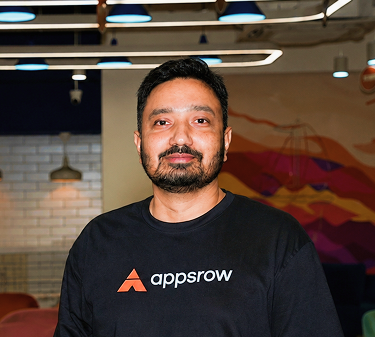
Parth Parmar is a Webflow Expert and Co-Founder & CTO at Appsrow Solutions. He has delivered 300+ Webflow projects for 25+ global B2B brands, helping SaaS companies, AI startups, and tech businesses build conversion-focused websites with scalable CMS, AEO-ready architecture, and measurable growth.
CURATED READING
.png)
.png)