.png)

.png)
October 16, 2026
12 mins read
Source by Webflow: How AI Agents Are Changing Website Development and Marketing Operations

Explore appsrow with AI
Webflow is expanding its Model Context Protocol (MCP) integration to connect AI assistants with website analytics, experimentation data, and answer engine optimization insights. Announced on October 15, 2026, the update introduces access to page-level data from Webflow Analyze, experiment results from Webflow Optimize, and AI crawler and answer engine data from AEO Analytics. It also adds Google Gemini as a connector to Webflow's MCP server, alongside Claude and ChatGPT.
For developers, SEO specialists, and digital marketing teams, this update introduces a more data-driven approach to AI-assisted website optimization. Instead of using AI agents only for content generation or CMS operations, teams can use supported MCP tools to retrieve performance data, investigate page-level trends, review experiment outcomes, and analyze AI discovery signals.
The technical significance lies in the connection between an AI model and the systems that manage a website. Through MCP, a compatible client can discover and invoke supported tools, retrieve structured responses, and use that information to help answer questions or guide subsequent actions. The model does not need unrestricted direct access to Webflow's underlying databases because the MCP server exposes specific capabilities through its available tools.
For organizations building advanced Webflow workflows, this creates opportunities to connect website operations with analytics, SEO monitoring, and AI-powered reporting.
Model Context Protocol is an open standard for connecting AI applications with external tools and data sources. It defines a common way for an MCP client to discover available capabilities, invoke tools, and receive structured results from an MCP server.
In a Webflow environment, the architecture can be understood through three main components.
MCP client: The AI application, such as Claude, ChatGPT, or a supported Gemini integration, through which a user submits a request.
MCP server: The component that exposes supported Webflow functionality to the client. It handles tool discovery and requests according to the server's implementation and access controls.
Webflow platform: The underlying website, CMS, analytics, experimentation, and other supported services from which authorized information is retrieved or on which supported operations are performed.
A simplified request flow looks like this:
This approach reduces the need to build a separate custom integration for every AI application. However, MCP does not automatically expose every Webflow feature, and the available operations depend on the server's supported tools, user permissions, and account-level feature access.
For teams implementing custom workflows, it is important to distinguish between the MCP protocol itself and the specific tools that Webflow makes available through its implementation.
The latest update extends MCP access to page-level traffic, goal data, and filtered queries from Webflow Analyze. This enables AI agents to retrieve supported analytics information and use it to investigate website performance.
Previously, a marketer might need to export reports, copy figures into a spreadsheet, and manually compare page performance across different periods. An MCP-connected workflow can simplify the information-gathering process by allowing the user to request supported data through natural language.
Consider a Webflow website with dozens of service pages and hundreds of CMS articles. The marketing team wants to identify pages that have experienced a significant traffic decline over the past month.
An AI assistant can request the relevant page-level data, compare the available periods, and organize the results into a prioritized list. The team can then investigate whether those pages experienced changes in search visibility, internal linking, content quality, or conversion performance.
A useful request might be:
"Compare page-level traffic for the last 30 days against the preceding 30 days. Identify pages with the largest percentage declines, include available goal data, and separate the observed changes from possible causes."
The assistant can help interpret the returned data, but the accuracy of the comparison depends on the information available through the analytics tool, the selected date ranges, and the completeness of the response.
Traffic data becomes more useful when evaluated against configured goals. A page that attracts visitors but contributes few enquiries may require a different response from a page that attracts less traffic but generates qualified leads.
For example, an agency could compare page traffic with available goal completions and prioritize pages where the relationship between visits and conversions appears weak.
This investigation can lead to several follow-up checks:
MCP provides a way to retrieve and organize the available data, while the actual diagnosis may require additional analytics, technical SEO tools, or manual inspection.
For teams building conversion-focused Webflow websites, this workflow can complement Appsrow's Webflow development services, particularly when page architecture and user journeys need to be improved using performance evidence.
Webflow Optimize supports experimentation and personalization. The new MCP capabilities allow compatible AI agents to read available experiment information and results, helping teams review test performance through an AI-assisted interface.
From a technical perspective, the distinction between retrieving experiment results and controlling an experiment is important. The announced capability covers reading experiment data. It should not be interpreted as general permission for an AI agent to create, modify, or publish experiments.
Imagine that a company is testing two versions of a service page headline. Version A describes the service category, while Version B emphasizes a specific business outcome.
The team wants to understand which version performs better against a configured conversion goal.
An AI assistant can retrieve available experiment results and summarize the current performance of each variation. The output can help the marketing team understand whether the data supports a decision or whether additional testing is required.
A suitable prompt is:
"Retrieve the available results for the active service-page experiment. Summarize the performance of each variation against the configured goal, identify the current leading variation, and highlight any limitations that prevent a reliable conclusion."
The assistant should not treat a small difference in observed conversion rates as proof that one variation is statistically superior. Experiment duration, sample size, allocation, conversion counts, and the experiment's analysis methodology all affect the reliability of the result.
An agency managing multiple Webflow websites could use MCP-based access to prepare standardized experiment summaries. A report could include the experiment name, tested page, available variation results, measured goal, current status, and recommended next steps.
This can reduce manual reporting effort and make experiment reviews more consistent across projects.
For custom implementations, developers should also consider how the returned data is represented, how errors are handled, and how the workflow behaves when an experiment has incomplete or unavailable results. These implementation details should be based on the actual tool schema and response returned by Webflow, rather than assumptions about undocumented fields.
Answer engine optimization (AEO) extends website optimization to AI-powered discovery systems that provide direct answers to user questions. These systems may retrieve website content, process information from multiple sources, and generate responses that reference or describe a business.
Webflow's AEO Analytics capabilities provide access to information such as tracked AI crawler activity, frequently requested pages, tracked prompts, and available answer engine responses. The MCP update allows compatible agents to access supported information through the connected workflow.
For technical SEO teams, this is particularly relevant because AI crawler activity and AI answer visibility represent different parts of the discovery process.
Crawler data can help teams investigate which website resources are being requested by tracked AI crawlers. Depending on the available report, teams may be able to examine requested URLs, activity over a selected period, and provider-level patterns.
For example, a technical SEO specialist might ask:
"Identify the pages with the highest tracked AI crawler activity over the past 14 days. Summarize the available provider-level data and highlight important service pages with unusually low activity."
The output can help guide further technical investigation. A page receiving little crawler activity might deserve a review of its internal link structure, crawl accessibility, content discoverability, and relevant access rules.
However, low activity is not automatically a technical problem. Different crawlers have different purposes and revisit schedules, and some pages may not be relevant to every provider.
Crawler activity should therefore be treated as an observability signal rather than a direct ranking factor or a guarantee of inclusion in AI-generated answers.
Crawler logs cannot independently establish whether an AI answer engine mentions a business. Tracked prompt data and answer engine responses provide a different perspective by helping teams investigate how a brand appears in responses to specific questions.
For example, a Webflow agency might track prompts such as:
A connected AI assistant can summarize available tracked prompt results and identify patterns in brand mentions or source references.
A useful request might be:
"Review the available AEO Analytics results for our tracked commercial prompts. Summarize where our brand appears, identify prompts with limited visibility, and suggest content areas that require further investigation."
The results can help teams identify gaps in service explanations, supporting documentation, and topical coverage. They do not guarantee that creating a particular page will lead to a citation.
For organizations investing in Webflow SEO services, combining traditional search analysis with AI visibility reporting can provide a broader view of how website content is discovered and presented.
The addition of Google Gemini expands the range of AI applications that can connect to Webflow's MCP server. Claude and ChatGPT were already supported options, and Gemini now provides another interface for compatible workflows.
From an integration perspective, the key benefit is the ability to use a supported AI client to interact with Webflow's exposed tools without building an entirely separate application-specific integration for every workflow.
The connection does not mean that all clients necessarily support identical features, tool interactions, or account configurations. The exact experience depends on the connector implementation, the user's permissions, and the capabilities exposed by Webflow.
Webflow has indicated that Gemini support for Webflow Enterprise plans is in development. Teams should consult the official documentation for the latest availability information before relying on the connector in a production workflow.
When deploying MCP in a business environment, developers should verify:
These checks are important when multiple team members use AI-assisted workflows across production websites.
Businesses planning broader automation can also explore Appsrow's Webflow integration services to connect website workflows with appropriate external systems and business tools.
The most useful application of the update is the ability to investigate related information from multiple sources in one AI-assisted workflow.
Consider a service page that has experienced a decline in traffic and a reduction in goal completions. The marketing team also wants to understand whether tracked AI crawlers are accessing the page and whether the business appears in relevant answer engine responses.
A structured investigation could follow this sequence:
Step 1: Retrieve page-level performance data. Use the available Analyze tools to compare traffic and configured goal data over appropriate periods.
Step 2: Review relevant experiments. Retrieve available Optimize results for experiments associated with the affected page, if any exist.
Step 3: Investigate AI crawler activity. Review available AEO Analytics data for the affected URL and relevant time periods.
Step 4: Examine tracked prompts. Review available answer engine responses for prompts related to the page's topic and business objective.
Step 5: Generate an evidence-based summary. Ask the AI assistant to separate directly observed facts from hypotheses and list the additional checks required to validate possible causes.
Step 6: Implement and measure a change. After human review, make an appropriate website improvement and evaluate its effect using a suitable measurement method.
The workflow should not assume that a traffic decline is caused by reduced crawler activity or that an experiment result explains changes in organic visibility. These sources provide complementary evidence, but they measure different things.
A well-designed process preserves those distinctions and uses the combined findings to guide further investigation.
If your website isn't easy to understand, you're giving away opportunities
before the conversation even starts.
Get a free review of how your website appears to AI-powered search and discovery tools.
The following prompt illustrates how a team could request a multi-source investigation using supported Webflow MCP tools.
"Investigate the performance of our highest-priority service pages over the last 30 days. Retrieve available page-level traffic and goal data, identify relevant Optimize experiments and their results, and summarize available AEO Analytics information for tracked AI crawlers and prompts associated with these pages.
Present the findings in separate sections for traffic, conversions, experiments, and AI visibility. Distinguish confirmed observations from hypotheses, identify any missing data, and recommend the next three investigations based on business impact. Do not make website changes or treat correlations as confirmed causes."
This prompt is useful because it specifies the scope, reporting structure, and limitations of the analysis. It also avoids assuming that the AI assistant can perform unsupported operations.
For more repeatable workflows, teams can create a standard reporting template and reuse it for weekly or monthly reviews. The exact automation should be implemented only after confirming which tools and data fields are available through the connected MCP server.
Although the new capabilities expand what AI agents can access, businesses should account for several limitations.
Feature access: Analyze, Optimize, and AEO Analytics access depends on the user's existing access to the relevant Webflow features. Connecting an AI client does not automatically grant access to paid functionality.
Tool availability: MCP clients can invoke only the tools exposed by the server and permitted by the connected account. The protocol itself does not guarantee access to every Webflow operation.
Data completeness: Analytics queries can return incomplete or unavailable information because of reporting limitations, configuration issues, date ranges, or missing measurements. AI-generated summaries should be checked against the available source data.
Experiment interpretation: The current Optimize capability focuses on reading experiment data. Creating or modifying experiments is a separate capability and should not be assumed to be supported.
AI visibility interpretation: Crawler requests, tracked prompts, and answer engine responses are distinct signals. None should be treated as a complete or guaranteed measure of AI search visibility on its own.
Security and governance: Teams should follow least-privilege access practices, review connector permissions, and maintain appropriate approval processes for consequential changes.
These considerations are particularly important when integrating MCP into workflows that support client reporting or production website management.
Webflow's October 15, 2026 MCP update expands the platform's AI integration capabilities by adding access to Analyze page-level analytics, Optimize experiment results, and AEO Analytics data, while introducing Google Gemini as another connector.
For developers and marketing teams, the update creates a practical way to connect website performance analysis with AI-assisted investigation. Rather than relying exclusively on manual dashboard reviews, teams can retrieve supported information, compare signals across different areas, and produce structured reports through compatible AI applications.
The most effective implementations will combine MCP connectivity with reliable analytics configuration, clear permissions, structured website content, and human review. This approach makes it easier to identify optimization opportunities without assuming that AI-generated recommendations are automatically correct.
For businesses building scalable Webflow websites, the next step is to treat AI integration as part of a broader technical and marketing strategy. Appsrow helps businesses develop, integrate, and optimize Webflow websites so that content architecture, analytics, and connected workflows support measurable business goals.
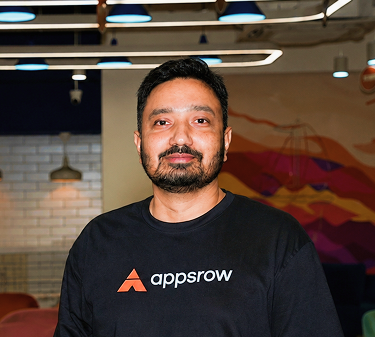
Parth Parmar is a Webflow Expert and Co-Founder & CTO at Appsrow Solutions. He has delivered 300+ Webflow projects for 25+ global B2B brands, helping SaaS companies, AI startups, and tech businesses build conversion-focused websites with scalable CMS, AEO-ready architecture, and measurable growth.
CURATED READING
.png)
.png)