

September 22, 2026
12 mins read
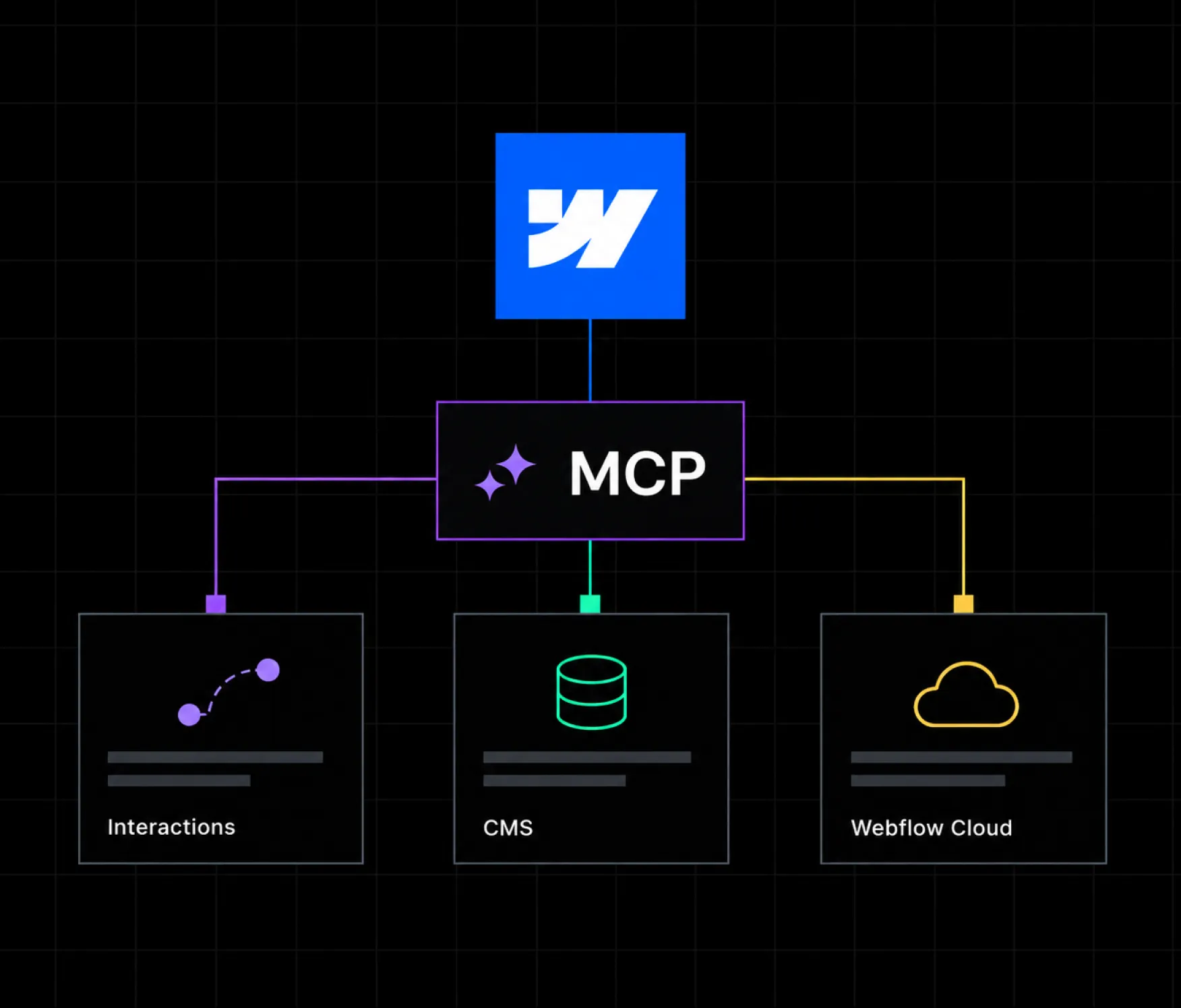
MCP Adds Interactions, Faster CMS Access, and Webflow Cloud: What It Means for Your Site

Explore appsrow with AI
In today's competitive digital landscape, businesses need website infrastructure that scales, adapts, and holds up under real traffic and real governance requirements. For growing enterprises, Webflow Enterprise has emerged as the platform of choice, offering the design freedom of a visual builder with the security and control large organizations actually require.
But how does Webflow Enterprise actually work, and is it the right move for your business? This guide breaks down what it includes, why big brands are switching away from traditional CMS platforms to get it, and how an experienced Webflow partner can help you get the most out of it. Whether you run a fast-scaling SaaS company, a global retailer, or an established enterprise brand, this is written to help you make that call with real information.
This is not a marketing brochure dressed up as an article. Every driver, feature, and comparison below reflects what actually shows up when organizations run a serious evaluation, including the places where a traditional CMS still holds its own. If you finish reading and Webflow Enterprise is not the right fit, that answer is just as useful as a yes.
Webflow Enterprise is the top tier of Webflow's platform, purpose-built for organizations with larger teams, heavier traffic, and governance needs a self-serve plan cannot cover. It takes everything Webflow already does well, no-code visual design, a built-in CMS, managed hosting, and layers on the controls a serious organization actually needs.
At its core, Webflow Enterprise provides:
In short, Webflow Enterprise scales alongside your business, giving you real control over design and functionality without the operational weight a traditional CMS carries. If you want the full breakdown of where it sits in Webflow's pricing structure, Appsrow's glossary entry on Webflow Enterprise covers the baseline definition in more depth.
Stripped of marketing language, Enterprise's feature set breaks down into five practical clusters. Each one solves a specific operational problem that a self-serve plan was never designed to handle at scale.
Unlike Webflow's self-serve plans, Enterprise hosting is built to handle serious traffic without flinching, since it runs on dedicated, globally distributed infrastructure rather than a shared pool sized for smaller sites.
This makes Enterprise a natural fit for large-scale marketing sites, content-heavy platforms, and any brand running paid campaigns where Core Web Vitals and page speed directly affect conversion.
Coordinating a large team on a shared website gets messy fast without real structure. This is the pillar that becomes most obviously necessary the moment an organization passes a certain size. Webflow Enterprise solves this with:
These tools matter most once an organization passes roughly fifteen to twenty people with publishing access, the point where informal Slack-message coordination stops being enough.
For enterprise buyers, security is not optional, and Webflow Enterprise is built around that reality:
Webflow is explicit that it is not HIPAA compliant by default, so healthcare organizations handling protected health information need to plan their architecture accordingly.
For any organization selling into other enterprises, this documentation shortens vendor security reviews dramatically. Reviewing one vendor's SOC 2 report and ISO 27001 certification is a far smaller lift than auditing every plugin in a traditional CMS stack, and re-auditing that list every time a plugin updates.
Webflow's visual canvas already outperforms most traditional CMS platforms on design flexibility, since there is no theme framework limiting what a page can look like. Enterprise extends that further:
Partnering with an experienced Webflow design team ensures that creative freedom actually turns into a site that matches your brand rather than a generic template with different colors.
Enterprise clients get more than a support ticket queue:
This support layer works best when paired with a partner who handles the day-to-day: ongoing Webflow maintenance keeps a site healthy between the moments Webflow's own support team gets involved, covering the routine updates, monitoring, and small fixes that a dedicated CSM relationship was never designed to handle directly.
The move away from WordPress and other traditional CMS platforms toward Webflow Enterprise is not a design trend. It is a pattern driven by cost, risk, and speed, and it shows up consistently across very different industries, whether the underlying business is software, media, or hardware. Companies like Dropbox, Discord, Lattice, Dell, and The New York Times have all made some version of this switch.
For a full platform-by-platform breakdown of how this plays out technically, Appsrow's honest Webflow vs WordPress comparison is worth reading alongside this guide.
What ties these five reasons together is that none of them are about aesthetics. They are the kind of factors that get raised in a boardroom, not a design review: risk, operating cost, and how fast a team can actually ship. That is exactly why the shift keeps showing up across such different industries, from consumer software to media to hardware.
A common point of confusion is where Enterprise actually differs from Webflow's Team plan, since both sit above the self-serve Site plans. The short answer: Team is a scale plan, Enterprise is a governance and compliance plan.
If your organization's only real blocker is workspace bundling or priority support, Team is likely enough. If IT will not approve a tool without SSO, or a client or regulator requires compliance documentation, that is specifically an Enterprise-level requirement no lower tier satisfies.
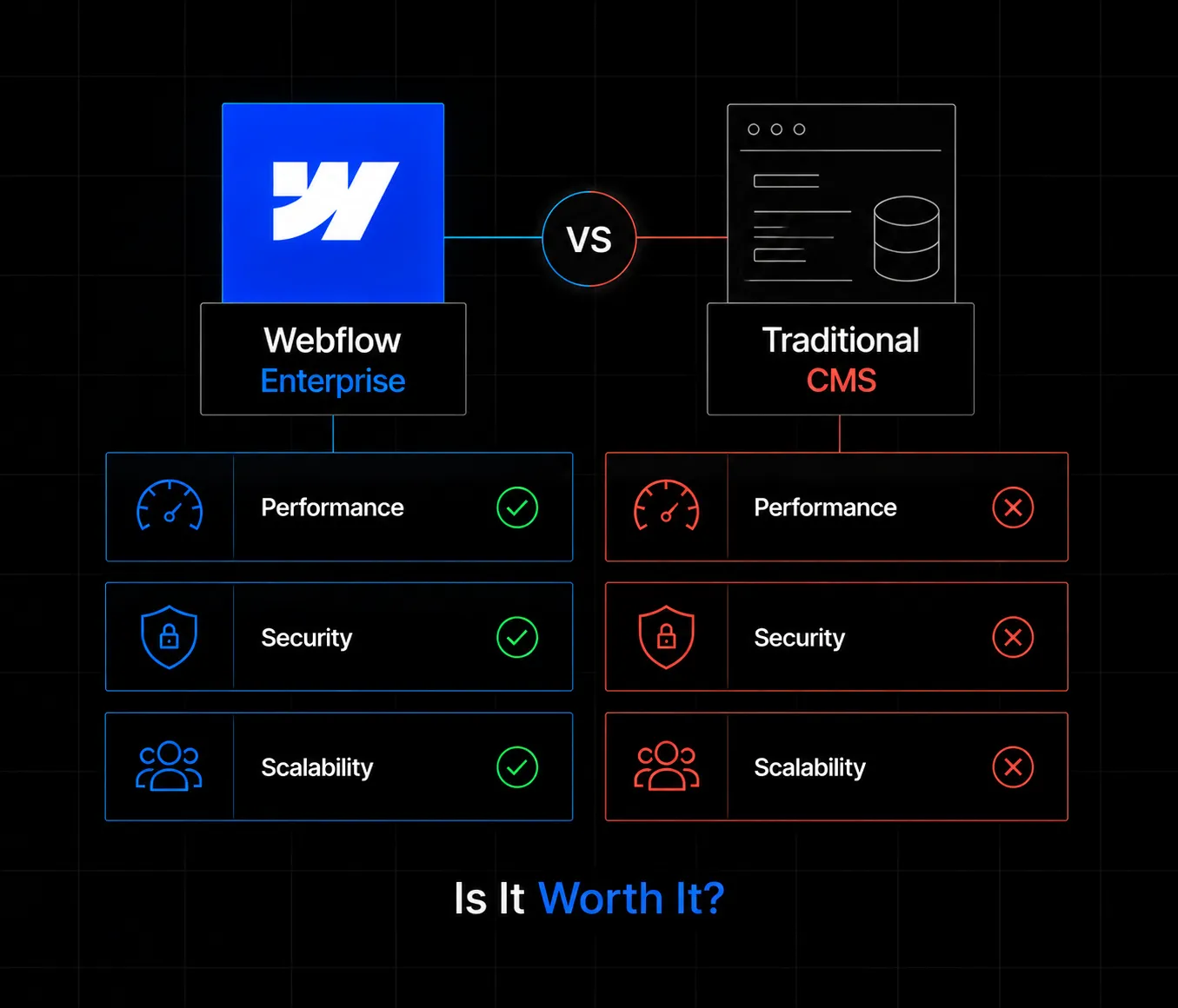
The license fee for WordPress and similar platforms is zero. The operating cost is not, and it rarely gets totaled honestly until an organization actually sits down and adds it up.
Add these up across a real twelve-month period, not just the sticker price at signup, and the total cost gap between a traditional CMS and a flat Webflow Enterprise contract closes fast, and often reverses. Appsrow's pricing breakdown is a good next step once you want to run these numbers against your own site.
Read this table as a starting point, not a verdict. The right answer depends on which row matters most to your specific organization, which is exactly why the checklist and drivers throughout this guide are worth working through directly rather than defaulting to whichever platform feels more familiar.
The enterprise names running on Webflow are not a marketing footnote, they span software, media, and hardware:
The New York Times – a global media brand trusting Webflow with parts of its public web presence.
Webflow's own scale backs this pattern up: platform revenue surpassed 213 million dollars in 2024, with more than 3.5 million active users worldwide. WordPress still powers a larger raw share of the web, but that number includes a long tail of small sites where the operational burden of a traditional CMS matters far less than it does for an organization the size of Dell.
Before diving into feature lists, it helps to check whether your organization is actually feeling the pain a traditional CMS causes at scale:
Checking three or more of these is a strong signal it's time for a real evaluation, not just a passing thought. Checking one or two usually means a lower Webflow tier, or even a well-run traditional CMS with better internal process, covers the actual need for now.
Webflow Enterprise is a strong fit for:
If you check two or fewer of these boxes, a lower Webflow tier, explained in Appsrow's pricing guide, may cover your needs at a fraction of the cost. Enterprise earns its price tag once governance, compliance, or scale genuinely demand it.
A useful rule of thumb several experienced Webflow partners apply: run this list past security, IT, and the team that actually owns the website independently, then compare notes. A marketing lead often overestimates how urgently one feature is needed while underestimating how binding an IT-mandated requirement actually is, and getting every stakeholder's honest read before the sales conversation starts saves real time later.
This would not be an honest guide if it did not name the cases where WordPress or another traditional CMS is still the better call:
For most B2B, SaaS, and enterprise marketing sites, none of these exceptions apply, which is exactly why the shift toward Webflow Enterprise keeps accelerating.
Buying Webflow Enterprise is a platform decision. Getting real value out of it is an implementation project, and that is where a specialized partner earns its keep. The gap between a well-implemented Enterprise account and a poorly configured one is often larger than the gap between Enterprise and a lower tier.
By working with a team that has done this before, you avoid the two most common Enterprise mistakes: buying more than you need, and buying the right plan but never configuring it properly.
Moving off a traditional CMS is a legitimate concern for any organization with years of content and hard-won search rankings. It is also one of the most common reasons companies delay a decision they already know is right. Done properly, migration follows a predictable, low-risk sequence rather than a risky leap:
Done this way, rankings are typically preserved and often improve. Appsrow's migration process follows this exact structure, and a medium-sized site usually takes four to eight weeks from audit to cutover.
Webflow Enterprise is a genuinely powerful option for businesses that need flexibility, performance, and scale without sacrificing design quality. Whether you're an established enterprise brand or a fast-growing SaaS company, it can transform how your team builds and manages your website, provided the decision is made deliberately rather than by default.
The brands named throughout this guide did not switch because Webflow was trendy. They switched because someone ran the numbers, weighed the real risk, and concluded a managed platform fit their operational reality better than a stack they had to assemble and patch together themselves. That same exercise, run honestly against your own traffic, team size, and compliance needs, is what should decide this for your organization too.
Ready to find out if Webflow Enterprise is right for your business? Partner with a team that has actually implemented it, not just read the pricing page, to make sure your investment translates into real results.
Appsrow is a Webflow Premium Partner agency that has delivered 300+ Webflow projects for B2B, SaaS, and enterprise brands since 2018. The team handles the full journey from Webflow development and Webflow design to Webflow migration and ongoing Webflow maintenance, including scoped Webflow Enterprise implementations for organizations that need real governance, not just a bigger plan.
If you're evaluating Webflow Enterprise for your business, Appsrow can help you scope the right plan, design a site that matches your brand, and configure governance properly from day one. Explore Appsrow's case studies or read more on Webflow SEO and AEO to see how the full picture comes together.
If your website isn't easy to understand, you're giving away opportunities
before the conversation even starts.
Get a free review of how your website appears to AI-powered search and discovery tools.
GOT QUESTIONS ?
What is Webflow Enterprise, and how is it different from standard plans?
Webflow Enterprise is the premium tier built for high-traffic, multi-team organizations. It adds enterprise-grade hosting, custom integrations, stronger security (SOC 2, SSO), and dedicated support. Standard plans work well for small to mid-size projects; Enterprise is built for organizations with real scale and compliance needs.
Is Webflow Enterprise suitable for organizations with heavy traffic?
Yes. Enterprise hosting is designed to handle large traffic volumes and sudden spikes without manual intervention, which makes it a strong fit for corporations, e-commerce brands, and SaaS platforms running paid campaigns or major launches.
How does Webflow Enterprise improve security?
It includes SOC 2 Type II compliance, Single Sign-On, and automatic SSL encryption by default. These protect data, simplify authentication across large teams, and align with the security policies most enterprise procurement teams require before approving a new tool.
Can non-technical teams manage a Webflow Enterprise site?
Yes, that is one of its core advantages. Webflow's visual interface lets marketers and content teams edit and publish directly, without waiting on a developer, while still maintaining brand consistency through shared components and styles.
What SEO advantages does Webflow Enterprise offer?
Fast-loading pages, clean semantic code, and native support for meta tags and structured data all contribute to stronger search performance out of the box. Combined with dedicated infrastructure, this gives Enterprise sites a real edge over a typical plugin-heavy traditional CMS setup.
Why work with a Webflow partner instead of implementing Enterprise alone?
A specialized partner ensures the plan is scoped correctly, the design reflects your brand rather than a template, governance is configured properly from day one, and integrations with tools like your CRM or analytics stack are set up cleanly. That combination is what actually determines whether an Enterprise investment pays off.
Will switching from a traditional CMS hurt our search rankings?
Not if the migration is handled properly. Rankings are typically preserved, and often improve, when every existing URL is mapped to a redirect before cutover and the new site matches or beats the old one on Core Web Vitals. Ranking drops during a migration almost always trace back to skipped redirects, not the platform switch itself.
How much does Webflow Enterprise actually cost?
There is no published price. Webflow quotes Enterprise contracts based on traffic, security requirements, number of brands or regions, SLA terms, and which add-ons get bundled in. Going into that conversation with a clear, prioritized list of what your organization actually needs produces a far better outcome than accepting the default bundle.
Can we start smaller and move to Enterprise later?
Yes, and it is often the smarter path. Starting on Team, gathering a real usage baseline for two or three quarters, then negotiating Enterprise from that position with actual data in hand, tends to produce a tighter, better-scoped contract than signing Enterprise upfront based on projected rather than proven need.

Sandeepsingh Sisodiya is the CEO of Appsrow and a Webflow leader in Ahmedabad, India. He focuses on SaaS growth, digital transformation, and building high-converting website strategies.
CURATED READING
.webp)