No Code
June 25, 2025
# min Read




Explore expert insights, practical guides, and proven strategies to help you build, scale, and optimize high-performing digital experiences.
Webflow is mainly a website builder. It combines design, customization, and hosting. It is a traditional Content Management System (CMS). It enables users to oversee and release content with simplicity. The platform's visual editor creates clean HTML, CSS, and JavaScript code. It's for users without a programming background.
Webflow's versatility allows users to create various types of websites, including:
Webflow is also a powerful CMS. It lets users create, edit, and publish content without a developer.
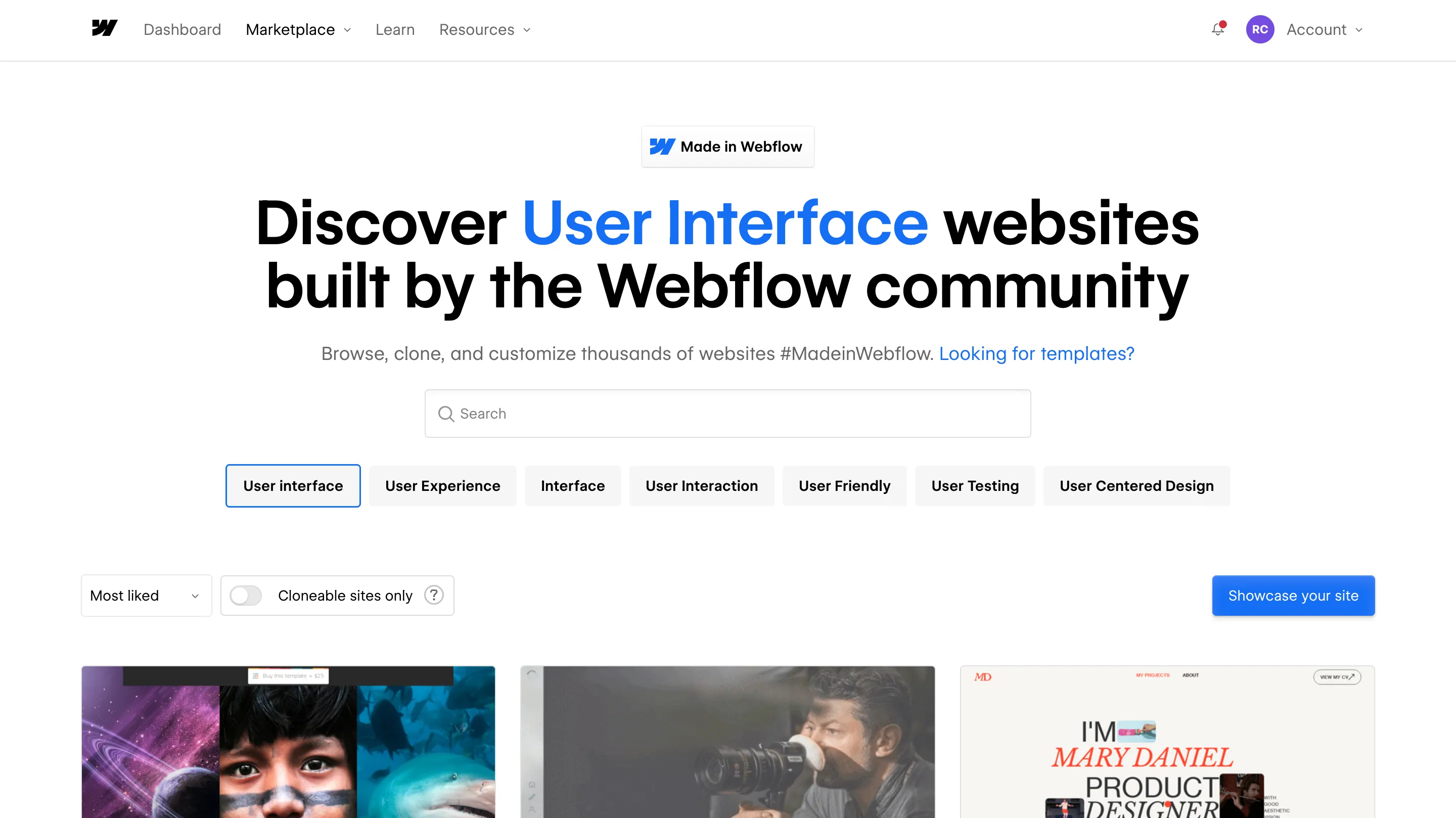
Webflow allows users to update content on the page directly. This makes it easy for anyone in an organization to make changes. It's great for businesses that need to update their websites often, without developers.
The platform generates clean, semantic code. It follows web best practices. This improves SEO and accessibility. Users make code changes themselves to achieve customized results.
Webflow's ecommerce features empower users to build complete digital marketplaces. It supports product management and custom checkouts. It integrates with services like Google Analytics to track sales.
Webflow optimizes for SEO. It has features to boost search engine rankings. Clean code, mobile design, and Google tool integration boost online visibility.
Webflow offers fast, reliable hosting with features like automatic backups and version control. It optimizes its infrastructure for high traffic. It suits businesses of all sizes.
In short, Webflow is a complete platform for new and skilled web designers. It has visual design tools, clean code, and a powerful CMS. So, it's great for anyone wanting to build a professional website. Webflow has the tools to bring your vision to life. This is true whether you're making a simple blog or a complex e-commerce site.
No Code
Webflow

In the past, there was no need to make businesses digital. Businesses were working fine with the good old paper & pen. Everything was in its place, and all was well. But now, the paper & pen approach is a thing of the past. Today, businesses are entering a new world where they need to adopt digital technology to survive.
The reason: Digital technologies are making it easier for companies to do business 24/7, always on the go, and anytime & anywhere. In the 2020s, 70% of the GDP was generated through digital space. The need for businesses to adopt a digital approach is very much needed.
A digital transformation is a process in which businesses need to make essential changes to how they function and are managed. For companies to become more competitive, better informed, and ultimately lead the market, these changes need to happen. Examples of such transformation processes include:
A company must develop a digital platform so that your business can grow. The platform should be designed so that it serves not only your own business needs but also helps other companies get their products or services available online.
The internet has made it easy to integrate technology into one’s daily life. It is important for companies to use this integration to produce more products or deliver more services through their platforms.
As more and more companies begin to use the internet and technology in different ways, they will also begin to generate a lot of data. These data can be used for several purposes, including marketing strategies. It is important for companies to have a system that looks at all the data available to be used in the best way possible.
The need for businesses to digitize is directly linked to the digital world that we live in today. The digital transformation process is needed to gain more benefits than what it already has been enjoying these years. The benefits of digital transformation include:
The competitive advantage of a business comes from the products and services they offer. The businesses that have been in the market for a long time have already identified their niches and localized their strategies accordingly. They know exactly who they are selling to, where they can find them and what they need.
With the help of big data and analytics, businesses can identify new prospects, follow up with them, manage existing customers, and use their data to develop more valuable products and services for consumers and themselves.
The internet has made it easier for companies to reach out to their customers. There are several ways to do this, including social media and video marketing. Businesses can now get feedback from their customers quickly, which helps them improve their products or services accordingly. This ultimately leads to increased sales for both the company and its customers.
Data is the new oil, as many experts call it today. Suppose a company has access to big data and enough customer information. In that case, they can easily use that data for marketing purposes to gain more information about them in the process. The result is more sales and higher profit margins for your business.
As mentioned above, big data and analytics help businesses make better decisions. This will lead to higher profits for the business, as well as for its customers and suppliers.
Making changes to your business and realistic use of digital technologies can only benefit your company and its environment in the long run.
There are some examples of how having digital technology can benefit people and materials by making it more environmentally friendly:
Environment-friendly technology is available, which allows paperless office technologies that help reduce paper waste, slash cost, improve efficiency, and minimize time spent maintaining a system.
In order for your business to move forward, it needs to have a clear digital plan in place. As we have already discussed, there are several ways that your business can use technology for its growth. Some of them include:
As stated before, building a digital platform allows your business to become competitive in its market and the global market as well. It also allows you to become more efficient with your resources and make better use of the information you have collected from customers worldwide. Digital platforms are built on top of big data and analytics, which will help your business grow efficiently in all areas and make better decisions accordingly.
The internet has made it easy to integrate technology into one’s daily life. Companies need to use this integration to produce more products or deliver more services through their platforms.
Data analytics are the basis of digital transformation, as they help you make better decisions and increase revenue for your business in the process. You need to decide what kind of data exists in your business and how it can be used to improve future decisions and make them even better than before.
Businesses today need to contend with a lot of competition from all over the world. They also need to make changes within their businesses so that they can become more profitable, more sustainable, and more environmentally friendly as well. Making these changes will help your business stay ahead of the competition and improve its visibility in the process
By making certain changes to your business, you will be able to leverage technology in a way that focuses on improving customer service so that you gain more customers through referrals and word-of-mouth marketing as well.
The digital transformation process can benefit your business in a number of different ways. Some of them include:
As we have already mentioned before, customer service is a key factor for success in any business. Customers today demand fast and reliable companies and services and accurate information on the company itself. This information must be provided to them so that they can understand easily, which will ultimately increase their satisfaction with your brand or products/services.
Once your customers are satisfied with their purchases, they will recommend your brand to others who are looking for a particular product or service that you offer. This will lead to increased sales for your company and higher profits for your business as well.
Your business may be selling a product or service that takes a long time to deliver to customers but which is required by them on a daily basis. If you want to increase your sales, you should find ways of delivering it faster so that your customers can use it in their daily lives and earn more money for themselves as well!
Your business may be working with the wrong kind of resources in place at this time, and if so, it will hurt your company’s growth in the process. The digital transformation process allows you to make changes to your business so that the resources you need are utilized in the most effective way possible. You can also use big data and analytics in your business, which helps you gain more information about your customers so that you can better serve them.
In order for a business partner to become more successful with its own business, it needs to have a clear plan and strategy in place. The digital transformation process allows them to make changes and improvements to their businesses, giving them peace of mind knowing that they are making the process easier for themselves.
In conclusion, digital transformation is a big deal for businesses of all kinds. It allows them to compete with other companies in the world and makes their companies more sustainable in the long run.
AppsRow can help your business no matter which industry you belong to. We have the experience, design, and marketing knowledge to help you get started with your digital transformation process. Let’s kick off with a Digital Journey into the future and where our digital journey is headed. From there, we will talk about what’s involved in creating your Digital Strategy, how to implement it, and finally, how you can measure the success of your investment in technology.
Your digital strategy should help you identify where you want to be in five years and help you focus on achieving those goals.
If you would like more information on how we can help your business grow in the modern age, please contact us today through our website or via phone.
Digital Marketing
Startup & Business
Figma is a cloud-based design tool primarily used for UI/UX design and prototyping. It allows designers to create high-fidelity mockups and collaborate in real-time with team members. Figma excels in the design phase, offering a range of features such as vector editing, prototyping, and design systems. Its cloud-based nature makes it easy to share designs and gather feedback from stakeholders.
Webflow is a powerful website builder that combines visual design with the ability to create fully functional websites without extensive coding knowledge. It allows users to design, build, and launch responsive websites all in one platform. Webflow offers advanced features for animations, interactions, and CMS capabilities, making it a popular choice for developers and designers looking to create dynamic websites.
- Figma is primarily focused on the design aspect of web projects. It is ideal for creating prototypes, wireframes, and visual designs. Designers can use Figma to collaborate and iterate on designs quickly.
- Webflow, on the other hand, is designed for building live websites. It allows users to take their designs from Figma (or any other design tool) and turn them into fully functional websites with responsive capabilities and hosting options.
Figma offers robust collaboration tools, enabling multiple users to work on a design simultaneously. This real-time collaboration is essential for teams working on complex projects, as it fosters immediate feedback and iteration.
Webflow has limited collaboration features compared to Figma. While it allows for some level of teamwork, it is primarily focused on the development side, making it less collaborative during the design phase.
Figma provides extensive design flexibility, with powerful vector editing tools and design components. It excels in creating detailed and visually appealing designs, which can be exported for development.
Webflow shines in its ability to translate designs into functional websites. It generates clean code, making it easier for developers to maintain and update sites. Webflow also includes built-in SEO features, which are crucial for online visibility.
In the debate of Figma vs Webflow, the choice ultimately depends on your specific needs. If your primary focus is on design and prototyping, Figma is the superior choice. However, if you are looking to build and launch a fully functional website, Webflow is the better option.
Both tools have their unique strengths, and many designers find success by using them in tandem—designing in Figma and then building in Webflow. By understanding the capabilities of each tool, you can make an informed decision that aligns with your web design goals.
No Code
Webflow
Tech Comparison
Design Inspiration
June 25, 2025
When it comes to animating websites, two names keep cropping up repeatedly: GSAP (GreenSock Animation Platform) and Webflow. Both are amazing, but each has its own use case. Here's a comparison so that you can determine which one suits you best.
Webflow Animation: If you despise coding, Webflow is the solution. It's so simple to use—no coding at all. You can drag and click to create animations, and trigger such things as scrolls, clicks, or hover effects. If you simply need to throw something quick together, Webflow is ideal.
GSAP: GSAP is in JavaScript, so it's a little more involved. You'll have to be able to code in order to get the most out of it. But on the flip side, this does give you much greater control for your animations to get more high-level and creative effects. If you know how to program and desire the ability to fine-tune your animations, then GSAP will be a great option.
Webflow Animation: Webflow is fantastic for straightforward, everyday animations such as fades, scales, and smooth transitions. If you need something a lot more intricate, however, then it could be a little restrictive. It will not provide you with the precision in timing or sequence that you would likely require for more complex projects.
GSAP: This is where GSAP truly excels. You are either creating basic animations or intricate sequences, GSAP has got you covered. It's all up to you, and it will do it for you with ease for intricate animation like SVG, text animation, and even motion physics. For extra control when needed, GSAP comes to the rescue.
Webflow Animation: Webflow is great with basic animations, but once you begin layering on top of several interactions or heavy effects, you'll begin to see a performance hit. It isn't always the smoothest each time with more complex animations.
GSAP: GSAP is designed to perform. Even with even more complex animations, it remains slick. So if performance is the issue—particularly for more interactive or high-impact animations—GSAP will get the job done without taking your site down.
Webflow Animation: Webflow lets you animate on scroll events, but it's quite simple. It's tricky to alter the way the animation works, e.g., how much you must scroll before it kicks in or in which direction.
GSAP: With the ScrollTrigger plugin of GSAP, you have full control over all aspects of scroll animation. You get to define precisely when an animation begins, how it reacts when users scroll, and even how it deals with varying scroll velocities. If high-level scroll animation is on your agenda, GSAP is where you need to be.
Webflow Animation: Webflow animations are great in its design system, but having them appear amazing on any screen size is a problem. You will most likely need to invest additional time adjusting animations for tablet or mobile.
GSAP: GSAP is more dynamic, with features such as matchMedia(), whereby you can modify animations based on screen size. This makes it a lot simpler to have your animations looking stunning on any device.
Webflow Animation: Webflow handles the basics like fades, transitions, scales, and rotations. But if you want to play around with things like 3D effects, morphing, or complex text animations, you'll hit a wall.
GSAP: GSAP is full of top-level features. If you're animating SVGs, you have to create text effects, or if you're creating something even more innovative, GSAP got your back. If you're looking for next-level animation, GSAP lets you be as creative as you'd like.
If you want something quick and simple, Webflow is the route to take. But if you're working on a large project with high expectations, GSAP offers you the versatility and power to make beautiful, silky smooth animations that can make your site really stand out.
Tech Comparison
An able CMS is a pivotal facet in your marketing campaign, without which the marketing efforts and investments are similar to kicking against the pricks. Glancing at the CMS adaptation stories, you will realize that over half of the websites on the web have appropriate content management systems in the foreground of their campaigns.
Amidst a myriad of CMS platforms in the market, choosing the best one for your business might seem a bit intimidating. But, how do you choose the right CMS for your business? Well, you need to consider some essential parameters before giving a verdict on a CMS for your enterprise.
Moreover, you should be abreast of the ABC of a CMS before getting started with a CMS-drive content campaign. So, here is an ultimate guide on familiarizing yourself with CMS and choosing the right platform for yourself.
Before going anywhere, let’s begin with knowing what a CMS is. A Content Management System (CMS) lets you develop robust, interactive, and scalable websites without even a technical background.
Unlike other website frameworks, CMS doesn’t require web developers to learn coding and scripting languages to launch exciting website projects. Content management systems are becoming staple platforms for hosting enterprise sites and are being used rapidly. Some of them, like Wix, is witnessing a growth of 149% per year.
A CMS like WordPress and Drupal provides you with a comprehensible interface for developing a fully functional website from scratch. Using the platform, you can manage images, add blogs, maintain live forums, and do everything without coding.
All in all, CMS offers a platform on which you can design a website, integrate cutting-edge features into it, manage a massive media and content database even, and obtain audience-interaction reports without technical expertise.
Moving further, it’s time to get the gist of the various types of CMS. Learning about the different kinds of CMS aids in choosing the right one for your business. There are five types of CMS available out there. Let’s dive deep into knowing each of them in detail
The component content management system works at an atomic level and focuses on the reusability of content. It manages redundancy and stores words, paras, media, and phrases into a database, from which they can be utilized for creating different documents.
A document management system allows migrating and storing textual documents on the web and makes them accessible by the entire team for manipulation and editing. One can use a DMS for tracking and organizing PDFs and word files even.
As the name suggests, a web content management system tracks and maintains the digital content of a website. Technical and scripting knowledge is not mandatory for using a WCMS. You can use a readymade template and customize the media and content according to your business.
An enterprise content management system aids the organizations in storing and manipulating sensitive business-related documentation by the team, and deleting unrequired content automatically. Using an ECMS, the businesses can exchange values between the enterprise and target audiences precisely.
A digital asset management system targets managing the digital media of a company exclusively. It organizes the graphical data and stores them with precise labelling. Such orderly management ensures efficient media-searching, whenever needed.
Before picking the right CMS for your business, it’s essential to know the benefits of adapting to a CMS. Now that you are well aware of the types of CMS, you are all set to excavate the usage of CMS in your business.
Easy Managing When using a CMS, you don’t need to rush to your web developer for even an inconspicuous update. Manage, update, and manipulate your CMS-driven website without the intervention of a web developer, as and whenever required.
Designing and Redesigning Support There are multiple paid and free templates available for CMS websites belonging to all industries. You can choose any of them and design your website with simple customizations. Also, at any point, you can migrate your website to
another template effortlessly.
No Technical Prerequisite CMS offers you the advantage of developing flawless websites for your business without any technical expertise. You can manage each web entity and customize everything without knowing coding and scripting.
Security The immense popularity of CMS platforms compels the backend developers to integrate unbreachable security frameworks into them. So, all CMS-driven websites carry standard security patches, making it impossible for anyone to hack into your sensitive database.
Time-SavingMaintaining and updating a CMS-driven website is an eye-blinking game. With an interactive UI, the admins can manage their website in a few clicks only, without getting into the layers of source code.
All the available CMS platforms are versatile and rich in must-have features. But you need to find out the one that resonates with your business, encouraging it to grow and find better profitability. So, here are some tips for you to choose the best CMS for your organization.
Look for Developer Independence Resorting to a web developer for simple to complex updates hinders the progress of your business. Look for a CMS that is easy to use and manage for your team itself.
Ensure Scalability A worthy CMS should be as flexible as the business. Whenever a change hits your company, it should be easily transferred to the CMS-driven website. So, choose a CMS that can respond to changes with the least complications.
Omnichannel CompatibilityFor now, you might not be ready to serve all platforms through a CMS website. But, in the upcoming future, your business can leapfrog and extend its support to other platforms as well. Ensure that the CMS has multi-platform support, and you can scale up anytime.
User-Friendly InterfaceToo much technical jargon and programming concepts are the downsides of a CMS. Go for a CMS platform that offers a user-friendly and graspable interface for the business team.
Third-Party IntegrationsBefore bringing a CMS for your business, make sure that it allows seamless third-party integrations. Many times, you might require the assistance of outside apps and extensions. Embedding them into your CMS website will turn up the game considerably.
Tailored CMS Development is a No-NoDespite your bulky investments, developing a CMS in-house will never yield a large extent of scalability and sustainability. On the other hand, a widely-used CMS integrates standard features and community support to back your business every time.
Support OfferingRich CMS features without company support will not assist you in the long run. Get a CMS that backs your business with round-the-clock support and community assistance.
Versatile Code CompatibilityIf a CMS is specific to a limited programming language, it might restrict your business growth. Choosing a language with multi-language compatibility saves the developers from falling in the crater of an all-new language while managing the CMS.
Organize ProfessionallyYour CMS should be able to organize the content efficiently and visualize the entities wherever needed. It should provide you with a host of templates and themes, and numerous features to enhance the audience experience.
Test and FinalizeEven if a CMS wins over your heart initially, it might not turn out to be as expected in the later stages. So, utilize the platform to develop a segment of your website in the beginning, and collect feedback from your team and other stakeholders. Once they approve of the implementation, you can leverage the CMS into your entire website.
With a prediction of $123.5 billion in market revenue by 2026, content management systems are gaining an impetus day by day. Managing the content equips you with a potential tool to ace the marketing game while focusing on your core operations. Be a bit picky when choosing a CMS, you can hire a top CMS development company such as Appsrow to choose the apt CMS for your business. Adhere to the above tips and bring the best CMS into your organization to unleash the true potentials of your business and workforce.
WordPress
Startup & Business
Duda: Designed for simplicity, Duda’s user interface is intuitive and straightforward. It’s an excellent choice for users with minimal design experience, especially agencies managing multiple client websites.
Webflow: Webflow offers a more sophisticated design interface with granular control over elements. While it has a steeper learning curve, it’s perfect for designers and developers looking for pixel-perfect customization.
Winner: Duda, for beginners; Webflow, for advanced users seeking full creative control.
Duda: Offers pre-designed templates optimized for responsiveness. Customization is limited compared to Webflow, but it’s sufficient for small to medium-sized businesses.
Webflow: Known for its design freedom, Webflow allows users to create completely custom layouts without relying on templates. Designers can manipulate every aspect of their website’s appearance.
Winner: Webflow, for its unparalleled design flexibility.
Duda: Provides basic SEO tools, including customizable meta tags, alt attributes, and schema markup. It’s user-friendly but lacks advanced SEO features.
Webflow: Webflow is built with SEO in mind. It offers advanced capabilities like clean semantic code, automated sitemaps, and 301 redirects. Comparing Duda vs Webflow, Webflow is better for SEO-focused projects.
Winner: Webflow, for its comprehensive SEO tools.
Duda: Excels in client management, allowing agencies to white-label their services and create custom dashboards for clients. Its team collaboration features are a standout.
Webflow: While Webflow offers client billing and content management through the CMS Editor, it lacks the robust white-labeling features of Duda.
Winner: Duda, for agency-focused tools.
Duda: Suitable for small e-commerce websites, Duda provides essential features like product catalogs and secure checkout processes.
Webflow: Webflow’s e-commerce tools are more advanced, offering customizable product pages, dynamic filters, and seamless integration with payment gateways.
Winner: Webflow, for scaling e-commerce needs.
Duda: Includes hosting with Google Cloud, ensuring fast load times and reliable uptime.
Webflow: Offers hosting powered by Amazon Web Services (AWS) and Fastly, ensuring blazing-fast speeds and global scalability.
Winner: Tie. Both platforms provide reliable hosting solutions.
Duda: Offers tiered pricing plans tailored for agencies and businesses. Its plans are cost-effective for managing multiple sites.
Webflow: Webflow’s pricing reflects its advanced capabilities. While it may be pricier, the features justify the cost for professional designers.
Winner: Duda, for affordability; Webflow, for value-driven features.
Choosing between Duda vs Webflow comes down to your specific needs:
Ultimately, both platforms shine in their respective niches. By understanding your project’s goals, you can confidently select the one that aligns with your vision.
Still undecided? Contact us for personalized advice on choosing the right platform for your website!
Webflow
Tech Comparison

The front-end software development industry is constantly evolving. While many things change in the world of tech, one thing that’s always served as a constant regardless of what industry you’re in is technology. Today, we will be looking at 7 of the best front-end technologies to use in 2022 that are set to become some of the most popular ways tech companies create user experiences on their website. I hope you can avoid future uncertainties and make your site look beautiful when these technologies become more popular with this list.
As a renowned front-end development company, this technology forecast can be fascinating for you. In some ways, these seven new web technologies will make life a lot easier for you and your clients. In some other ways, they’ll complicate it considerably more. You’ll have to weigh the upsides and downsides before deciding which of the 7 best front-end technologies to use in 2022 are suitable for your app or website project.
First, we must understand what front-end development is. Front-end development means developing the user interface or UI of a website. When front-end development is done right, it can be a very attractive experience for the user and this will help your website to gain popularity in online markets (such as Google and Bing –more on that later). A good front-end developer should know how the web works and what goes into making a good website, but they should also have insight into how visitors interact with your design.
Every business with a website or an online shop needs front-end development, as this is the part of the website that customers will interact with most. The quality and appearance of your UI design can have a lot to do with how successful your business is.
A good-looking home page or product page can have a high conversion rate. And if your website can’t keep up with the competition, then it could cost you potential customers and sales. You’ll need a good front-end developer to compete in today’s market, so here are seven of the best front-end technologies to use in 2022 to help you make that competitive edge happen. Here are the seven front-end technologies you should look forward to in the coming years:
Life has not been easy for the front-end developer. Not only have they had to fight against older, less capable technologies such as Javascript (Javascript), Flash, and Silverlight, but also against new technologies that often contradict their goals. This makes it quite difficult for the front-end developer to stand out from the crowd. And when there are so many tools that compete for developers’ attention, it is even harder to make a name for themselves.
This is where HTML5 and CSS3 come into play – these two languages could help you create stunning websites without having to worry about technology choices or changes in design trends. Instead, you’ll be working with two tools that are both stable and scalable. In fact, they were designed to work together, improving the overall user experience in a way that Javascript and Flash never could.
If you’re making a website for mobile devices, then HTML5 and CSS3 have the edge over Java script because they are more lightweight. This means your website will load faster and be more responsive to your users’ needs.
CSS3 is also much easier to update than Java script, which means if you want to add new features to the design or even change it completely, all you need to do is upgrade CSS3, and your changes will reflect across browsers automatically.
Angular is an MVC Framework that takes coding to the next level. Instead of using plain HTML and CSS, Angular uses reusable HTML components (such as List and Button) made with the latest web technologies. Then it lets you build your app using the MV* (Model-View-Controller) pattern. The part that makes Angular stand out is its ability to work with animations, which are used to give your app a more pleasing and engaging user experience.
This means your website will be more attractive to visitors just by its look and feel, giving it an edge over other technologies such as Flash or Silverlight.
React is a JavaScript library that allows you to create Single Page Applications. It works on the “component-based” approach by separating UI from your business logic and state. This means that instead of creating a lot of HTML with JavaScript, you get to work with just a few components without worrying about what happens when the user interacts with those components.
One advantage of React over Java script is that it can be used for Single Page Applications, which are much faster than normal websites.
Javascript and CSS3 are great tools in your toolbox, but they don’t consistently deliver the same performance you want for your website or app. React Native uses Javascript to create native apps for Android and iOS devices. This means you’ll be able to deliver much better performance on mobile devices than you would if you were to use Javascript or CSS3.
To use React Native, you’ll have to learn how to work with both Java and Objective-C languages, but the payoff is well worth it – creating native Android and iOS apps without having the hassle of learning Java or Objective-C.
Developers are always looking for new tools and ways of doing things. Flutter is a framework that allows you to build native apps on both Android and iOS devices while sharing the same codebase between them. This saves you from reinventing the wheel every time you want to develop an app for a different platform. It also allows you to deliver better performances than if you would develop separate apps for each platform, which most businesses would like to avoid.
As with React Native, Flutter uses Javascript as its programming language, so if your team already knows Javascript, it will be easy for them to make the switch when the time comes.
Npm is a package manager that allows you to manage your applications’ JavaScript files. You can create your scripts in Node and then run Node through the command line to install the required files. Once installed, you can then run your scripts from the command line or from within a Node module. You can also use npm to manage websites and mobile apps on the web and for mobile development.
Vue is an open-source front-end framework that uses HTML5, Javascript, and CSS3 as its programming languages. It focuses on modularity and is designed for building apps with performance in mind. You can use Vue to create fast, scalable, and have good responsiveness to the user.
Not only will you get better performance from Vue thanks to its modularity, but also because it uses Virtual DOM, which means your app keeps a “live prototype” of the site’s view, so it is easy for you to change or update what happens on the screen. This means that for every update, your changes will be reflected instantly.
With a well-rounded toolkit and strategies for using the tools you have selected, you will have a much easier time creating a website that your visitors will love. It is also important to make sure your tools fit together to form an effective workflow. We at Appsow can help you prioritize the tools you have selected, so you can spend your time focusing on the important things. We can also help you decide which tools to use for a certain project and make sure your development process is efficient. As a software development service provider, we have the right skills to help you create amazing websites and apps. You can reach us at appsow@appsow.com for more details.
Appsrow is a leading software development company in India, servicing clients in the US, UK, Europe, and Australia. We specialize in creating custom web applications that are tailored to meet clients’ unique needs and requirements. We use the latest technologies to build high-performance web applications that are easy-to-use and cost-effective. Our software development services include Angular app development, React Native app development, Cross-platform development, and Flutter app development.
Appsrow is an innovative company that specializes in creating modern websites and applications across multiple platforms using the latest programming languages and techniques. We are a team focused on providing high-quality web applications using Vue JS, React Native & Java to name a few technologies to help you build new businesses or improve your existing ones.
Web & Mobile
WordPress
Global styles like classes and combo classes are powerful, but overusing or misusing them can lead to messy, unmanageable code.
Solution: Be intentional when naming classes and use a consistent naming convention. Consider adopting a system like BEM (Block-Element-Modifier) for clarity.
Webflow makes creating responsive designs easier, but it’s still possible to neglect how your site looks on different devices.
Solution: Regularly test your design on all breakpoints and ensure elements scale or adjust appropriately for mobile, tablet, and desktop.
SEO often takes a backseat during the design phase, resulting in poorly optimized sites that struggle to rank on search engines.
Solution: Use Webflow’s built-in SEO tools to optimize meta tags, alt texts, and headings. Ensure you structure content with proper hierarchy (e.g., H1 > H2 > H3).
Large, uncompressed images can slow down your website, affecting both user experience and SEO rankings.
Solution: Compress images before uploading them to Webflow. Use WebP formats for a balance of quality and performance.
Animations can enhance user experience, but overloading your site with complex or excessive animations can make it sluggish and distract users.
Solution: Use animations sparingly and prioritize performance. Test animations to ensure they enhance rather than hinder usability.
Incorporating multiple font families can slow down your site and make your design look inconsistent.
Solution: Stick to two or three complementary fonts and use Webflow’s font management tools to limit unnecessary font variations.
Confusing navigation can frustrate users and increase your site’s bounce rate.
Solution: Use clear, intuitive menus. Make sure navigation links are easy to find and consistent across all pages.
Failing to consider accessibility can alienate users with disabilities and hurt your site’s usability.
Solution: Use Webflow’s accessibility tools to ensure proper contrast ratios, keyboard navigation, and alt text for images. Test your site with screen readers to identify gaps.
Launching without thorough testing can lead to broken links, missing elements, or performance issues.
Solution: Before publishing, test your site on multiple browsers and devices. Use Webflow’s staging environment to identify and fix issues.
A visually stunning website is useless if it loads too slowly or crashes under heavy traffic.
Solution: Monitor your site’s performance with tools like Google PageSpeed Insights. Optimize hosting settings and enable Webflow’s built-in CDN for faster load times.
Designing in Webflow offers incredible opportunities, but avoiding these common mistakes is crucial for building a site that’s both visually appealing and functional. By focusing on best practices and continuously refining your process, you can create high-performing websites that stand out.
Need help perfecting your Webflow designs? Contact us today to discuss how we can elevate your projects!
Webflow

June 25, 2025
The decades of defining branding as the name, slogan, or logo of a company were in the past and now branding is more complex and is termed as the most crucial aspect of any business, retail, or B2B, big or small.
Throwing assumptions about such a significant part of a business wouldn’t justify its necessity. So let’s sail across the clouds of myths regarding branding and find out what exactly is branding and how it is essential for every business.
Branding means creating a distinct image of your business on multiple market parameters and communicating it to the customers. The various parameters could be excellent customer service, proposing a unique selling pitch, and many others that can enhance your brand awareness.
Making you understand the significance of it, Appsrow defines branding as the commitment you offer to your customers. It can be related to the quality of products you offer or the promises you make to assist the need of your customers.
As we work on the principle of sharing knowledge, Appsrow is revealing the secrets of running remarkable branding campaigns and creating more wealth and value.
Scroll down and learn the magical spells of branding.
Branding is all about differentiating your products or service from others. It is about conveying what benefits your services could bring to the customers.
Everyone knows about it and has been doing it some or the other way. But what pulls them down from achieving success?
Here it becomes very essential to equip yourself with the strategy-building techniques of branding and steps to follow in order to get a high scope of returns.
Strategic branding includes special attention to the following sections –
A logo is the first shot that helps to establish connections between your business and your target audience. If you are willing to get more into the thoughts of your customers, you should never miss out on this essential component that drives your branding campaign in the direction of success.
A revolutionary logo helps you generate a vision in the minds of your customers about your company which then slips deep inside their minds and leaves an unforgettable image of your business.
Always hire skilled and experienced graphic designers or Appsrow to accolade your business with perfect branding campaigns.
When you have already decided on other essential components of your business, you must also not waste the opportunity of leading your customers to a narrowed space to know how they perceive your business.
This is possible only when you have an appealing brand identity design which you can always get from Appsrow.
A nicely typographic, colored brand name is a little yet influencing element of branding in terms of brand identity design and thus adds a lot of power to your branding campaigns.
Are you a bit surprised to see UI UX design in the list of strategy-building tools for better branding?
Well, you should not be because a good UI UX design enhances customer acquisition, which is one among so many things that require a high degree of planning.
Building trust with your customers is the key to acquisition and offering a good and valuable user experience makes it easier for you to add and retain customers.
Raise your customer acquisition chart by posing a good build, premium UI UX design to your customers and for that, Appsrow is the only name you can trust.
Adding more cream to your branding techniques, profile optimization is the tool that has a definite impact on your branding campaigns and adds more fuel to your engine of brand recognition.
Optimizing your profile on the digital channels hits the meter of interaction between you and your customers directly and levels up your brand awareness programs while at the same time reflects the potential of your business.
Finding the top branding experts could be hard but not when you have Appsrow for all such needs.
After knowing the strategic route for running successful branding campaigns, it’s time to know what exciting results you can always get after following the most optimized branding techniques.
The market is already flooded with businesses that are struggling to get a boost. A nicely structured branding campaign that covers all the major elements of branding is bound to make your business more uncommon and you hold the badge of uniqueness.
Perfect Branding creates a trustworthy image of your business in the market and people start to rely on the services you offer.
When you succeed in establishing your business as a brand, you reach the position where you can finally make a good worth out of your business. Branding makes the customers realize the uniqueness of your product and you charge accordingly.
Branding becomes very essential for a business to run its products and services with a defined consistency. A perfectly designed style guide from Appsrow avoids any unusual disruption in running your business.
Good branding always convey your brand message to the audience and they begin to trust your brand after seeing your level of confidence in raiding the market with powerful branding campaigns.
If your branding is representing your business in the most impressive way, more people are likely to interact with you as people like to connect with brands that in a way sharing the same values.
People are always interested in relating themselves to the values you offer. Branding helps in establishing the right connection and people start to develop an emotional attachment with your brand.
It is pretty clear that branding is directly proportionate to returns. Good branding brings huge returns to your business and helps you enhance your business manifold in almost every way.
Branding is a challenge that has to be accepted by every entrepreneur and Appsrow holds the solution for all your branding requirements.
Create a brand out of business with Appsrow. Contact us now for premium, multi-dimensional branding services.
Digital Marketing
Startup & Business

From brand identity to Webflow development and marketing, we handle it all. Trusted by 300+ global startups and teams.
The Appsrow blog covers Webflow tips, design trends, development best practices, SEO strategies, and digital marketing insights. We share practical knowledge from our Webflow development and design projects, offering actionable content created by experienced professionals who understand real-world challenges and solutions.
Appsrow publishes new blog articles regularly, typically multiple times per month covering various Webflow and web development topics. Our content often relates to Webflow SEO strategies and industry trends, maintaining a consistent publishing schedule that provides fresh, valuable content for our community of readers.
Yes, you can subscribe to receive notifications when Appsrow publishes new blog content via email or RSS feed. Subscribers get early access to valuable insights about Webflow design trends, development techniques, and exclusive content. Staying subscribed ensures you never miss important updates and expert tips.
Appsrow occasionally accepts high-quality guest posts from industry experts on relevant topics. We maintain strict quality standards to ensure content provides genuine value to our readers. Guest contributors from SaaS companies or agencies must demonstrate expertise and align with our content guidelines and editorial standards.
Yes, all Appsrow blog articles are optimized following best practices including keyword research, meta optimization, and structured content. We practice what we preach about Webflow SEO, and our blog serves as both an educational resource and demonstration of our expertise in content marketing and search optimization.
Absolutely! Appsrow encourages sharing our blog content on social media platforms to help others benefit from the information. Each article includes social sharing buttons, and articles about AI industry trends or Webflow tips often perform well on platforms like LinkedIn and Twitter within professional communities.
Yes, Appsrow occasionally publishes case studies showcasing successful client projects and results achieved. These real-world examples demonstrate our capabilities including Webflow migration success stories and provide practical insights into our methodology, approach to solving specific challenges, and quantifiable business outcomes.
Yes, Appsrow welcomes content suggestions from readers and considers them for future articles. We value community input and want to address topics that matter most, whether about conversion optimization techniques or Webflow best practices. Your suggestions help us create more relevant and valuable content.
Appsrow creates content for various skill levels, from beginners to advanced users, with clear indication of difficulty. Our tutorials include step-by-step instructions for Webflow design and development, with screenshots and practical examples making complex topics accessible without oversimplifying important concepts.
The Appsrow blog provides actionable insights that help improve your website, marketing efforts, and online presence. You can learn best practices for Webflow development, stay updated on industry trends, and discover solutions to common challenges, helping businesses make informed decisions about their digital strategies.